- After the solution is completed, click
OK to load the results into Autodesk Nastran In-CAD.
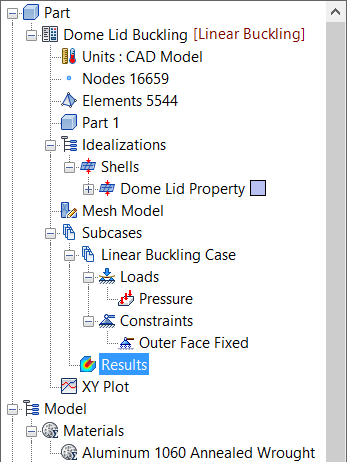
Results for the linear buckling subcase have been loaded in Results. Autodesk Nastran (the solver) calculates the displacements to graphically represent the modal shapes for each eigenvalue extracted.
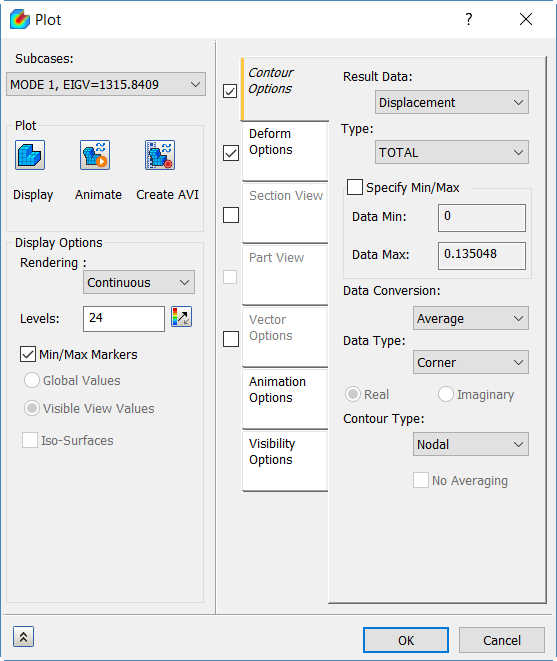
- Double-click on Results and select Mode 1 from the Subcases list.
- In the Result drop-down, select Displacement, and in the Type drop-down, select TOTAL.
- Check
Deform Options and under
Plot, click
Display. The plot should look as shown below.
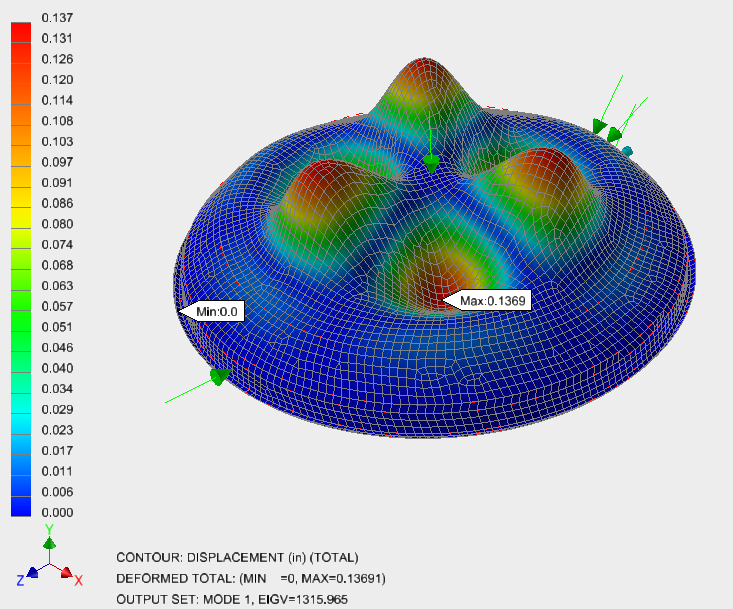
- The first and lowest eigenvalue is about 1316, which is of primary interest.
- When multiplied by the applied load, –1 Psi, you get the lowest critical buckling load of ~1316 Psi.
This concludes Linear Buckling Analysis of a Dome Lid.
The following summarizes the main topics covered:
- How to set up a simple linear buckling analysis.
- How to interpret the eigenvalue extraction results.
- How to calculate the lowest critical buckling load.