Create a new material by loading an aluminum alloy from the material library.
- In the Model tree, right-click on Materials and choose New.
- In the dialog, click on Select Material.
- The Material DB dialog will become populated with the available libraries. Click Load Database.
- Browse to C:\Program Files\Autodesk\Nastran 2019\In-CAD\Materials, open the ADSK_materials.nasmat file.
- The material tree is populated with the available materials. Under the
Aluminum Alloys category, select
Aluminum 1060 Annealed Wrought.
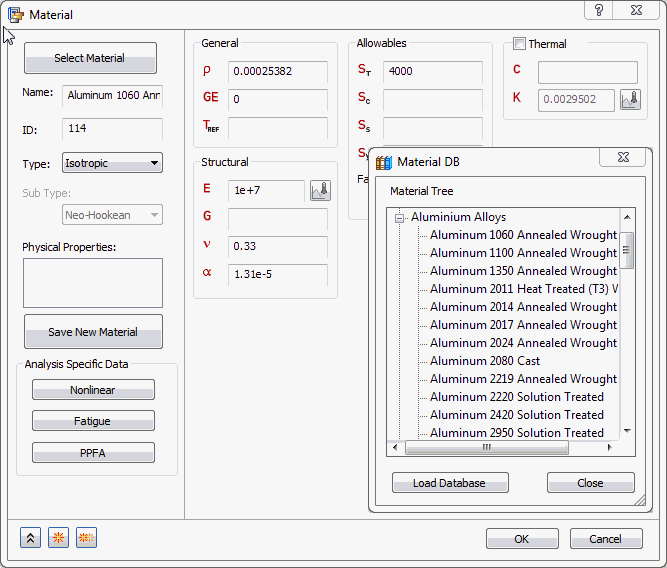
- Click OK to close Material DB and OK to close the Material dialog box..