- In the Model tree, right-click on Idealizations and choose New.
- Select
Shell Elements from the
Type drop-down menu.
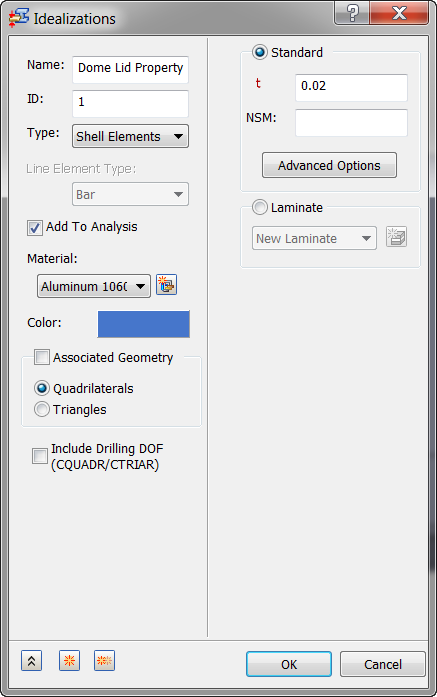
- Change the name to Dome Lid Property.
- Make sure Add to Analysis is checked, and Material is set to Aluminum 1060 Annealed Wrought.
- Enter 0.02 in the t (thickness) field, and make sure Quadrilaterals are selected under Associated Geometry.
- Click OK to create the property.
 Associated Geometry is not needed in this case. When associated geometries are not defined, all the shell elements will then have this property defined. This is used when there are multiple shell properties (i.e. multiple shell thicknesses) throughout a model.
Nonstructural mass can be added to each element in case there is an attached mass that you don’t want to physically model, but want to include in calculations.