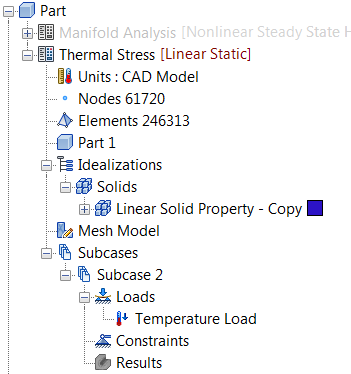
- Right-click on
Loads under
Subcase 2 and select
New.
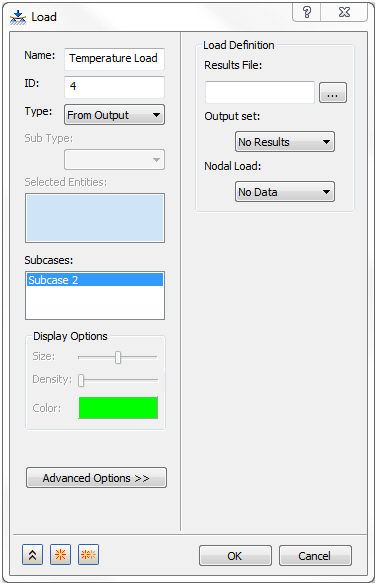
- Change the
Name to
Temperature Load.
- Change the
Type to
From Output.
- In the
Load Definition section click on the browse button for the
Results File. Navigate to the location of the FNO file, which was generated after running the Nonlinear Steady State Heat Transfer Analysis. For example,
C:\Users\Public\Public Documents\Autodesk\Nastran In-CAD 2019\Tutorial\en-us\Inventor\Inventor 2019\Thermal Stress Manifold\In-CAD\FEA folder. Then open the FNO file.
- The
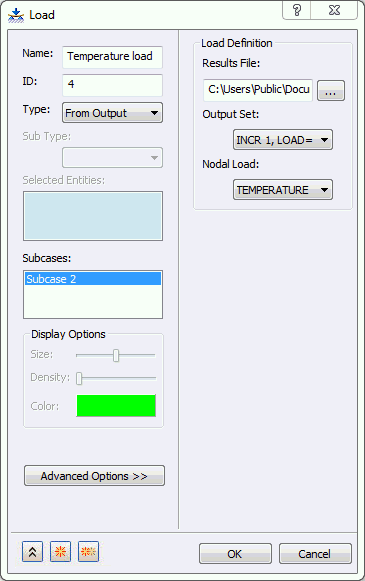
Load dialog shows that
INCR 1, LOAD=1.0 is selected as the
Output Set and
TEMPERATURE is selected for the
Nodal Load, as shown below.
- Click
OK to complete the definition of temperature load from output.