In animation and visual effects, the tradition is to use Y as the “up” or elevation axis, with X and Z as the “ground” axes. However, other industries traditionally use Z as the up axis and X and Y as the ground axes.
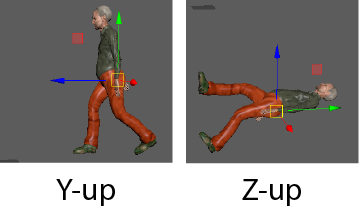
In Maya, you can switch the up-axis between Y and Z.
To change the up-axis of a scene
- Select .
- In the Settings category, choose Y or Z from the World Coordinate System area.
For more information, see Settings preferences.