The Preferences window includes the Character preference settings.
The Character preference settings enable you to change the default:
- Auxiliary Reach T value
- Auxiliary Reach R value
- Solver
To access the Character preferences:
- From the menu bar, select Settings
 Preferences.
- In the Preferences window, click the Character preference option.
The Character preference settings display.
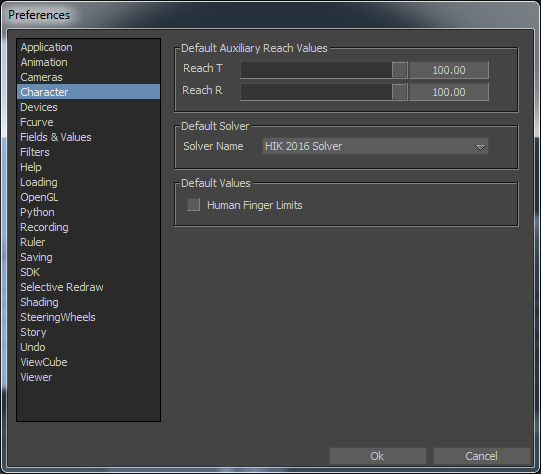
Character preferences
The following table describes the Default Auxiliary Reach preference settings.
|
Settings |
Description |
|---|---|
|
Reach T |
To set the default Reach translation. |
|
Reach R |
To set the default Reach rotation. |
|
Solver Name |
The default Solver is the HIK 2016 Solver. |
|
Human Finger Limits |
Controls the default value of the character's HumanFingerLimits property value when creating a new character. This preference is turned off by default. |