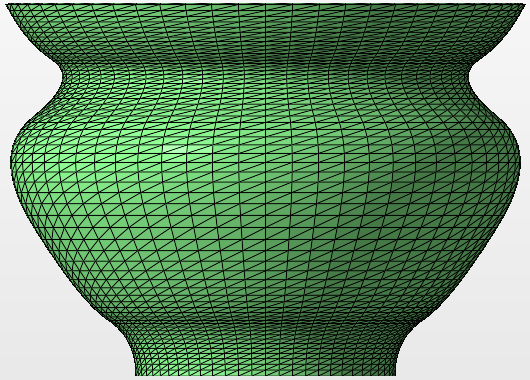
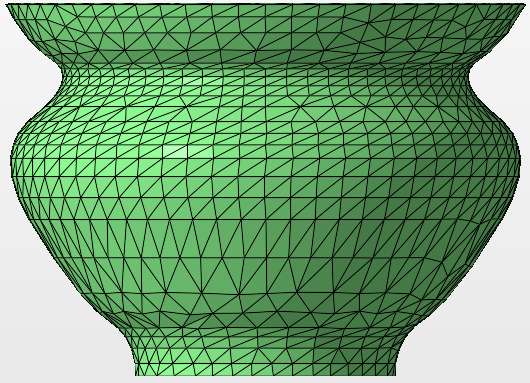
Rebuild an existing shape using larger triangles and a tolerated deviation from the original.
Reducing the number of files helps to reduce the file size and speed up the workflow. The more triangles used to make up the mesh, the longer it takes to load and process it.
- Select the part.
- Click
Modify >
 Manipulate Mesh.
- In the context view, switch to the Triangle Reduction tab.
- Adjust the settings as required.
- Click Calculate to produce a preview of the new mesh.
- Click OK to apply the triangle reduction.
Controls reference
- Target: Determines the desired number of triangles for the reduced mesh. This is disabled when Set target as low as possible is checked.
- Max. Deformation: The maximum allowable deformation allowed to the part while reducing the number of triangles.
- Max. Edge Length: The maximum length of edges to be unified. Be aware, extremely high values can result in distortion and self-intersections.
- Set target as low as possible: When enabled, the triangle reduction algorithm attempts to reduce the number of triangles as much as possible.
- Fast Mode: When enabled, the mesh reduction stops as soon as the desired number is reached, but may leave sections at their original resolution, possibly creating a patchy result.
- Enable the Highlight Triangles check box to display the mesh edges.
- Click and hold Show Original Mesh to see original mesh before the triangle reduction.