This section describes how to import a 2D .dxf file containing part geometry into PartMaker. You need to perform these steps only if your PartMaker installation does not allow you to import solid models, or if you prefer to work in 2D.
- Select
File > Import > DXF File to display the
Import DXF File dialog.
In the Getting Started folder of your PartMaker installation, select the turn_profile_inch.dxf file and click Open.
PartMaker displays the 2D geometry in the PartMaker window.
- Select
View > Setup to display the
Setup dialog and change the
Length and
OD values to those shown below:
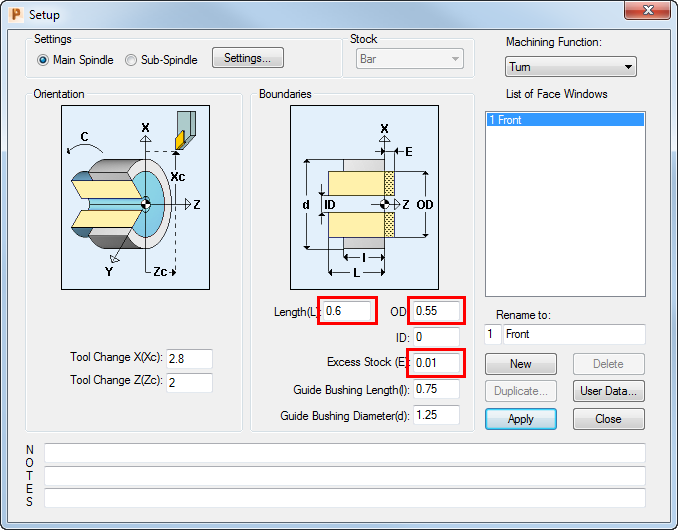
- Click Close.