After creating the catalog template, you create an Excel worksheet to specify component size detail in Excel.

In the worksheet, you provide detail for part sizes. The Excel worksheet then contains all of the data necessary to create or add to a PCAT catalog. The CTPL catalog template is no longer required after export.
Sheets and Worksheets

Components are split into different sheets in the Excel worksheet.
Component Sizes and Dimensions
Component size dimensions are specified in Excel.
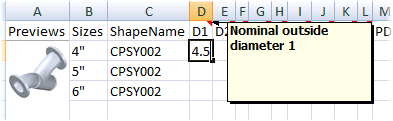
You can use the comments (the red triangle) in the first column to get a description of the dimension. A preview image is also available to let you see a larger preview image that shows each dimension.
Note: Larger preview images are not always available. If you need information about the properties or dimensions you can load a catalog that contains a similar component into the Spec Editor to see sample data.
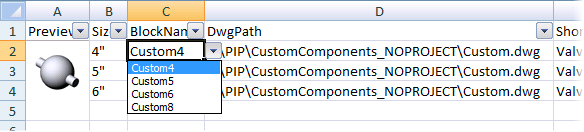
For block-based components, you can choose from a list block names. The list matches the block names that are available in the DwgPath drawing and cannot be modified after the XLS file is created.