Learn how to add and copy beams for the roof of the building.
- Pan until the beams that were copied to Story 5 are displayed. Select and delete them.
- Change the Layout to Geometry.
- In the Structural Design toolbar, click
 (Beam).
 - In the Beam dialog box, set the Section type to Steel beam and the Section to IPE 270.
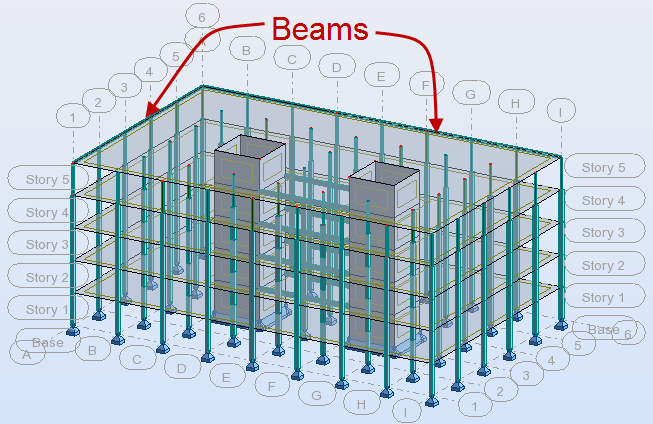
- Zoom out and draw 2 beams as shown below.
- Switch to the Plan view.
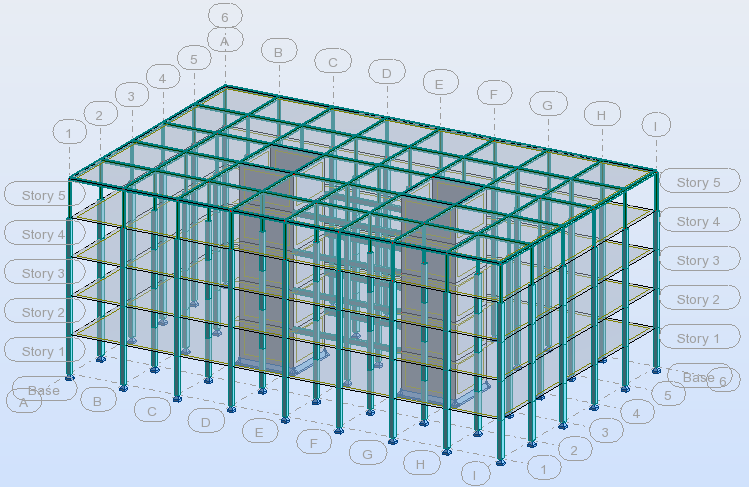
- Select the long beam and copy it to the other grids. Repeat the process with the shorter beam. The final building should look similar to the one shown below.
- Save the project.
Click here to go to the Summary.