Use this reference to review the specifications for the Family Content Size check.
Overview
| Description: | Checks models for minimum element size. |
| Evaluation Criteria: | Use the ApproximateLength property of various geometry primitives. |
| Limitations: | None |
| Document Types: | Family |
| Filters: | Elements |
| Highlighting: | Yes |
| Info Tab: | Yes |
|
Correction: |
No |
| Software Version: |
Available for 2010+. |
Details
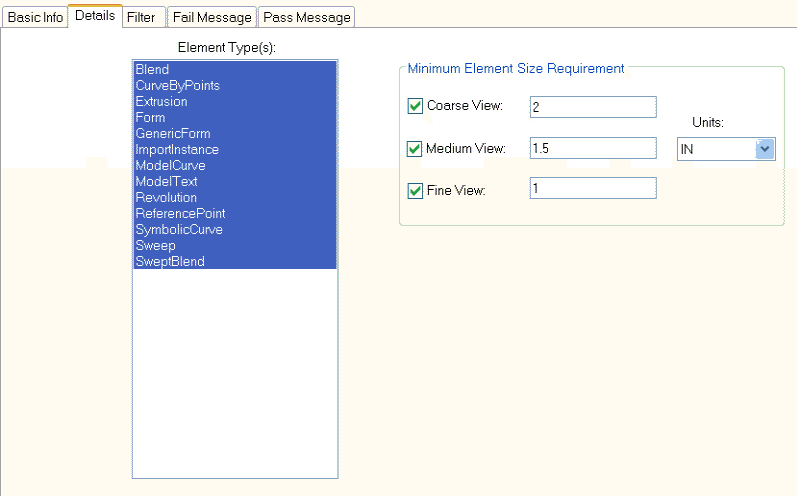
Options:
| Option | Usage |
| Element Types | Specifies what element types to check with. |
| Minimum Element Size | Specifies minimum size requirement for different detail level views. Centimeters and Decimal Inches units are supported. |
Pass/Fail Report Options:
Value(s):
Available by right clicking in the Pass/Fail Messages Editor, then choosing Insert>>Value.
| Reportable Variable | Description |
| Check Name | %CheckName% will return the name of the check in the report when run. |
| Check Result | %CheckResult% will return whether the check passed or failed in the report when run. |
| Filter Size | %FilterSize% will return the number of items that match the check criteria in the report when run. |
| Number of Bad Elements | %NumBadElements% will return the number of elements whose minimum size does not meet the requirement in the report when run. |
Table(s):
Available by right clicking in the Pass/Fail Messages Editor, then choosing Insert>>Table.
| Reportable Variable | Description |
| Element Table | %ElementTable% will return an element table view in the results that fail the check criteria. |
Results
After the check is run and if the criteria failed, a fail message is displayed. If the criteria passed then a pass message is displayed.