Route Analysis settings control how model elements effect the path of travel. Model elements between the starting and ending points of the path of travel will impact the route generated by the analysis.
Obstacles
- Elements hidden in the view.
- Demolished elements.
- Elements visible in an underlay to the view.
Add model categories which will be ignored during the path of travel analysis. In the dialog, enable additional model categories to be ignored and then choose the specific categories to ignore from the list.
Analysis Zone
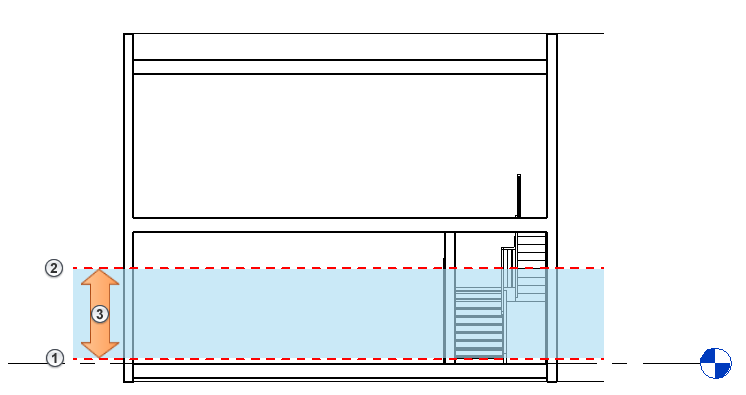
The analysis zone used by the path of travel is established by a top and bottom offset value from the views level. If any geometry from a model element is within the analysis zone it will be considered an obstacle to the path of travel. The path of travel will be generated to avoid those obstacles in the path of travel.
The following section shows the analysis zone
 of a plan view: Bottom
 , Top
, Top
 .
.