Learn about new features in the latest release of Autodesk Revit LT.
 indicates a new feature or enhancement in the latest update. Update features are available to
students and
Autodesk subscribers.
indicates a new feature or enhancement in the latest update. Update features are available to
students and
Autodesk subscribers.
 indicates a new feature or enhancement that was suggested and voted up by
Revit LT customers on the
Ideas forum.
indicates a new feature or enhancement that was suggested and voted up by
Revit LT customers on the
Ideas forum.
|
|
|
|
Create
|
Optimize |
Connect |
New features
-
Open a Revit model with Desktop Connector:
Revit provides additional guidance when opening files from Desktop Connector. See
Open a Revit Model with Desktop Connector.
-
Folder path for BIM 360 Linked Models: When you manage your BIM 360 Docs cloud model links, the full folder path and model name displays so you can easily determine which model each link represents.
-
Improved Revit Home: Revit Home is more consistent with Civil 3D Home. See
Revit Home.
-
Work with Large Schedules
-
Freeze/unfreeze schedule header: You can freeze (lock) the main header and column headers in place to keep them visible when scrolling through it. When you unfreeze the headers, they may not be visible in every area when scrolling through the schedule. See
About Working in Large Schedules.
-
Active row and cell are highlighted in a schedule: The row and cell that are currently active are highlighted so that you can easily see them in a large schedule. See
About Working in Large Schedules.
- Stripe rows in large schedules (2020.1): When working in wide schedules, you can set the rows to display in contrasting colors to make it easier to follow them across the schedule. This setting can be enabled for the schedule view only, must be enabled for each view separately, and is set only for the current Revit session. See About Working in Large Schedules.
-
Fly Mode for Perspective Views: Use Fly mode in the Navigation bar to fly through and look around in a perspective view in a model. See
Fly Through a Perspective View.
-
Prevent Missing Element Corruptions: In cases where elements could previously go missing from the central model during a Sync with Central,
Revit performs an additional validation during the save process so that the elements are written to the central model.
-
Coordinates of linked files visible: Visualize Survey Point, Project Base Point, and Internal Origins in linked models to easily coordinate linked files. See
Display Coordinate Origin Points.
-
Improve Wall Attach dialog (2020.1): When attaching walls to floors and roof elements, the dialog will remember the selected setting and allow for the notification to be turned off. See
Do Not Show Me (DNSM) Settings in Revit.ini.
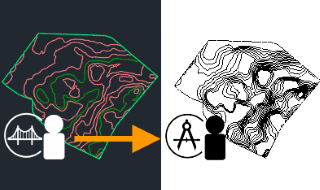
- Site Collaboration (2020.1): Site Collaboration Workflow (Civil 3D to Revit via BIM 360 Docs) now supports BIM 360 EU projects (Requires Autodesk Desktop Connector version 10.2.0.847 or later). See: Sharing Topography Between Revit and Civil 3D.
-
SketchUp models (2020.1): Added support for
Trimble® SketchUp® 2019 file format link and import. See
Linked File cannot be located message when trying to reload a link in Revit 2020.
- Beginner Architectural Tutorials (2020.1): Online help includes a 13-part, step by step Architectural tutorial to model a small commercial building. Videos and incremental datasets are included as part of the tutorial. See Tutorials
- Advanced Workflow for Energy Analysis (2020.1): Online help includes an advanced workflow topic on energy analysis using Revit and Insight. The workflow topic summarizes the energy analysis process and links to more detailed topics as well as customer success stories as examples of energy analysis tools in practice. See Workflow: Energy Analysis with Revit and Insight.
-
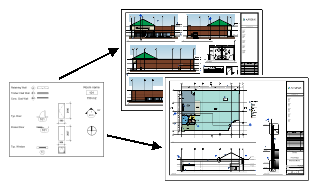
Copy a legend view across sheets (2020.1): You can copy a legend view from one sheet view and paste it to another sheet view. See
Copy a Legend View.
-
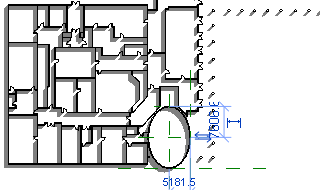
Create elliptical walls (2020): You can use standard Ellipse or Partial Ellipse draw tools to create walls and curtain walls with advanced geometry. These tools are available in the draw panel when you are creating or modifying architectural or structural walls. See
Video: Create Elliptical Walls.
- Materials improvements (2020.1): To improve ease of use and image quality when working with materials, new features have been added to the user interface, and high-quality appearance assets have been added to the Appearance Library.
- Material Browser user interface improvements (2020): See
About Material Libraries. The Material Browser contains the following new features:
- a new Material Libraries bar to provide easier access to the Library panel
- the ability to select a larger thumbnail size of 256 x 256 that is easier to view
- a new icon for 'filter materials by class' to provide a better understanding of the function
- Materials Appearance improvements (2020): To provide a better visual experience, high-quality, realistic appearance assets have been added to the Appearance Library. (See
About Material Properties and Assets.) These assets provide high-quality visual presentation in the following:
- rendered images
- realistic views
- Material Browser user interface improvements (2020): See
About Material Libraries. The Material Browser contains the following new features:
-
Schedule scope boxes (2020): Schedule scope boxes in a
view list to help manage the application of scope boxes to views.
- SketchUp models (2020): Added support for Trimble® SketchUp® 2018 file format link and import.
-
New operators for filtering (2020): has a value and has no value are now operators available for use in schedule filtering.
Not available in the current release
The following features and workflows are not available.
- The project base point clip has been removed in
Revit LT 2020.2. To move a clipped Project Base Point, click Manage
 Position Relocate Project.
- Communication Center and Favorites have been removed from the InfoCenter. (2020)
- i-drop functionality has been removed. IDrop.ocx is no longer included with the software installation. (2020)
Subscription features now available to users of Revit LT 2020
Most new features and enhancements that were made available to Autodesk subscribers in 2019 updates are now available to users of Revit LT 2020.
For a detailed list of those enhancements, see What's New in Revit LT 2019.