Learn how to set the meshing options.
- Continue working in your project, or open the project
Plate_Supports.rtd.
Note: The Tutorial files are located in C:\ProgramData\Autodesk\Examples\Tutorials.
- Click
Analysis
 Meshing Meshing Options.
Alternatively, click
 (Options of FE Mesh Generation) in the Standard toolbar on the top of the program. Then click
 (Meshing Options) in the Options of FE Mesh Generation toolbar.
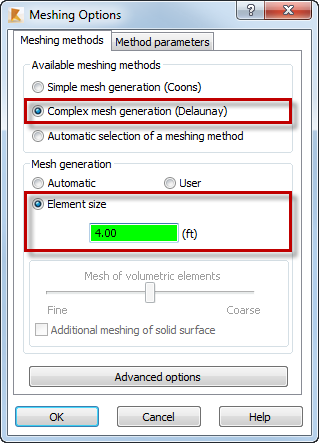
The Meshing Options dialog opens.
- In the Meshing Options dialog, set the following parameters:
- Available meshing method: Complex mesh generation (Delaunay),
- Mesh generation:
Element size, and then type
4.00.
- Click
OK.
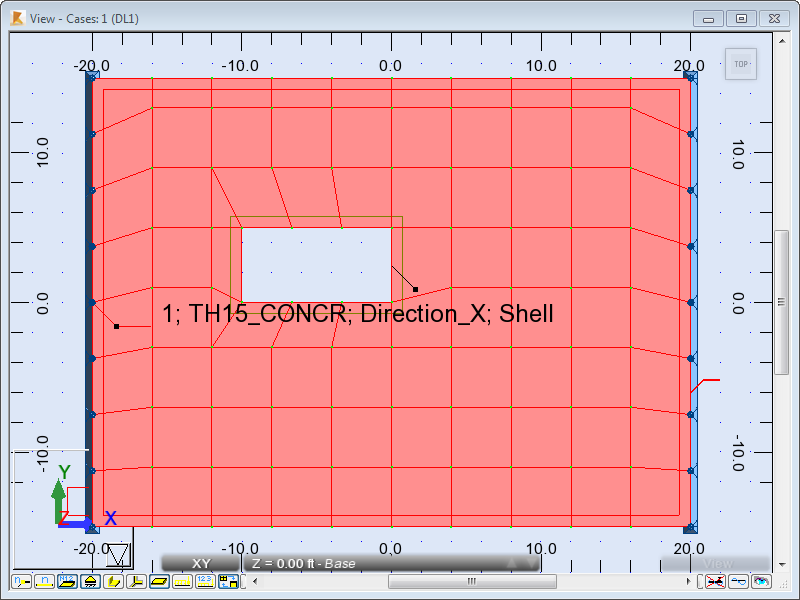
The panel is highlighted.
- Click Analysis Generation of computational model.
The generation process displays in the Calculations dialog, and then the computational model appears in the view.
- Click
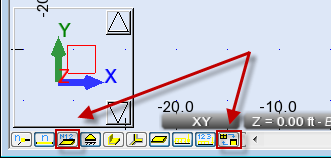
 (Panel descriptions) and
 (Calculation model (finite elements)) at the bottom of the drawing area to hide the descriptions of the panel and the calculation model.
- Click in the drawing area to deselect the panel.
- Save the project as Plate_Meshing.rtd.
Click here to go to the Summary.