Learn how to set a pinned support fixed in the UX- and UZ-directions.
- In the Standard toolbar, expand the Layouts drop-down menu and select Supports as shown below or select Geometry >
 (Supports).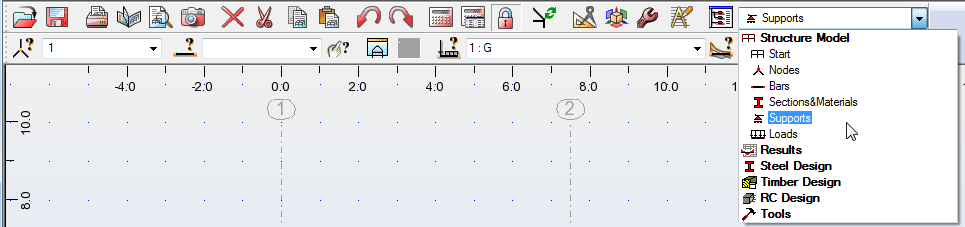
- In the Supports dialog box, double-click on Pinned (as shown below) to open the Support Definition dialog box.
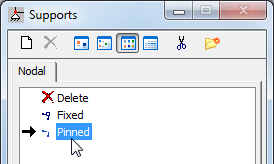
- In the Support Definition dialog box, on the Rigid tab, verify that the Fixed directions UX and UZ are selected as shown below.
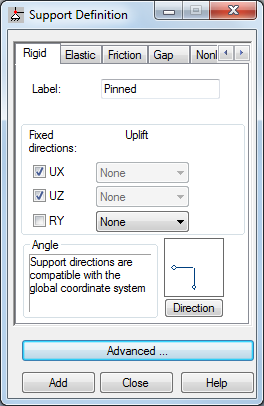
- Click Close.
- In the Supports dialog box, verify that the pinned option is still selected and click the nodes at the bottom of the structure to apply a pinned support to them as shown below.
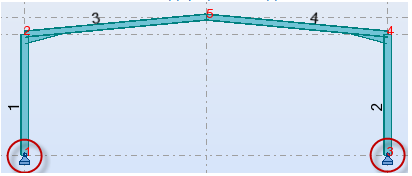
Note: Alternatively, you can enter the required nodes numbers in the Current selection field in the Supports dialog box. - Save the project as Structure-Project-Loads.rtd.
Click here to go to the Summary.