The following is a summary of the primary improvements to the AutoCAD Architecture 2021 toolset release.
AutoCAD Architecture 2021 toolset provides a set of enhancements based on customer feedback, surveys, and analytic data that prioritize our efforts. Several features modernize and streamline frequently used features across many customer disciplines. The drawing format for this release continues to be AutoCAD 2018. For developers, this is an API-breaking release.
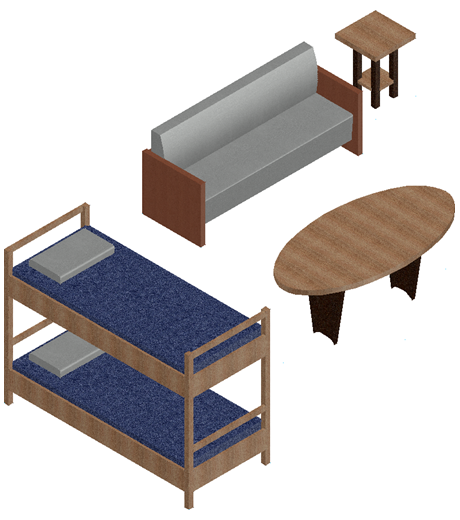
Autodesk Revit Content
Revcloud Enhancements
AutoCAD 2021 revision cloud enhancements also apply to the AutoCAD Architecture 2021 toolset revision clouds (ANNOREVISIONCLOUDADD).
You can change the arc chord length of a selected revision cloud object either in the Properties palette, from its shortcut menu, or with the new REVCLOUDPROPERTIES command. The REVCLOUDPROPERTIES command also updates other properties such as color and layer for the revision cloud.
When a revision cloud object is selected, the Properties palette now displays Revcloud as the object type instead of Polyline. Revclouds are still basically polylines, but they have an additional arc property and the option to switch between grip styles (REVCLOUDGRIPS system variable).
DWG Compare Import
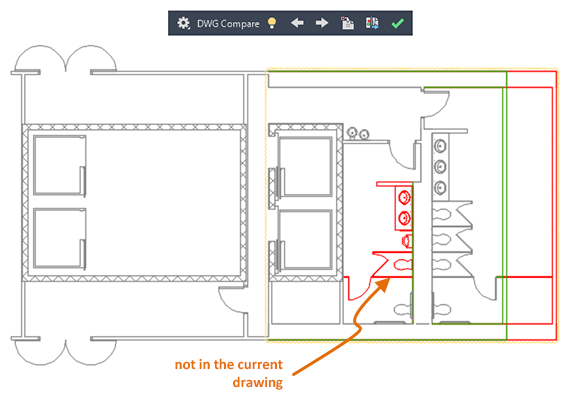

XREF Compare
AutoCAD 2021 Xref Compare enhancements also apply to the AutoCAD Architecture drawings with Architecture objects.

If a referenced drawing has changed, a balloon message is displayed in the lower-right corner of the application window (the status bar tray). Click the link in the balloon message to reload the modified xref or compare the changes. You can also compare the xref changes in the External References palette.
Icon Refresh
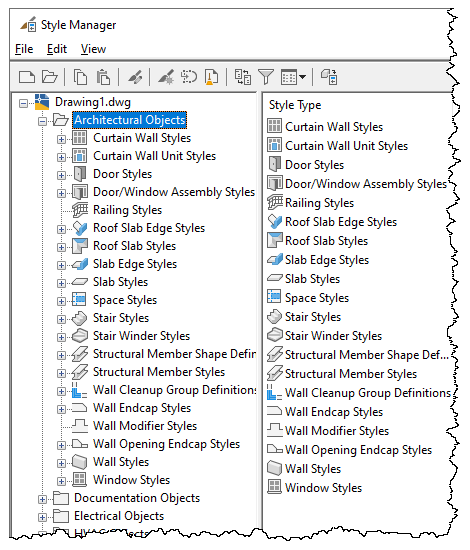
Other Enhancements
- Occasional Crashes
- No more crashes when editing grids on a Door or Window assembly.
- No more crashes when selecting clip volume in a drawing.
- It does not hang when multi-view block is selected in the drawing.
- Migration
- When migrating drawings from older releases, a warning is now displayed in the command line if synchronization is not completed.
- A keynote can now be added after migrating settings from previous releases.
- Section or Elevation
- OSNAP now works correctly during editing a section or elevation geometry.
- Horizontal section now works correctly when xref drawings are attached.
- The correct layer information of xref objects is now displayed in the Properties palette after a section is exploded.
- IFC
IFC import now works correctly even if one of the components is causing an error.
- Room Tag
In a rotated UCS, room tags can now be placed in the correct rotation during creation of a space.
- Wall
- Annotative wall hatch is now correctly displayed when attached as xref into another drawing.
- Wall Style Properties dialog box size is now retained on subsequent launches.
- Project Navigator
In Microsoft® Windows® 10 version 1803 or later machine, folders and files containing special characters now show up correctly in the Project Navigator.
- Classification Definitions
- Classification category names are not silently duplicated with a number suffix when copying and pasting of multi-views blocks.
- Improved performance during copying and pasting of multi-views blocks with classification definitions that have duplicate subcategory names.
- Plot
When changed to the hidden line visual style, the plot preview is correctly displayed according to the settings in the CTB file.
- Project Synchronization
Improved performance when synchronizing project standards on projects that are hosted in the network.
- Dynamic Input
Dynamic input prompt for polyline now shows up correctly for all angles on the next point prompt.
AutoCAD Architecture toolset leverages most of the new features from AutoCAD. For more information, refer to the What's New in AutoCAD 2021 topic in Help.