This step shows you how to use Automatic Feature Recognition to create features.
- Select the AFR step in the Steps panel.
- Choose your imported solid from the list.
- Click Options.
- In the
AFR Options page:
- Select Create face feature
- Select Create hole pattern
- Deselect Create 3D feature
- Click OK to close the AFR Options page.
- Click
Next.
The Setups page is displayed. You can use this page to select on which Setups the recognized features are created. In this example there is only one Setup.
- Click
Next.
The features page is displayed. A list is displayed of all the recognized features, and a wireframe preview is displayed in the graphics window.
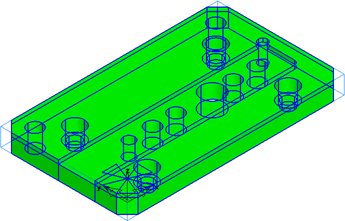
You can deselect features in the list that you do not want to create. In this tutorial, you do not need to create a Face feature.
- Deselect face 01 in the list.
- Click
Finish to create the selected features.
The created features are displayed in the Part View.
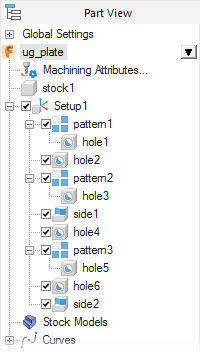
You can move the cursor over an item's name in the Part View to highlight it in the graphics window.