When using Feature Recognition, it is possible to create features that you do not have the tools to machine.
In this example, there is no tool that meets the requirements for drilling the large Holes. If you try to run a simulation, the Code Generation Failed message is displayed.
When this happens, you can:
- add a new tool to your tool library that is the correct size to machine the feature; or
- machine the feature with an existing tool.
In this example you will use an existing tool.
To select a tool to machine the feature:
- In the
Results window, select the
Op List tab.
The Operation List is displayed. The operations with no tool selected have a red exclamation mark, and no tool name.
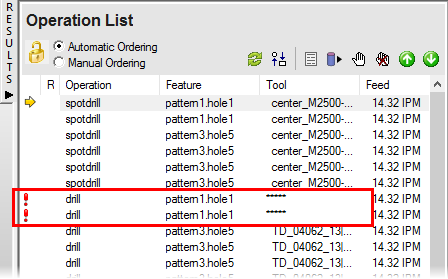
- Double-click an operation with no tool to display the Feature Properties dialog.
- Select the
Tools tab.
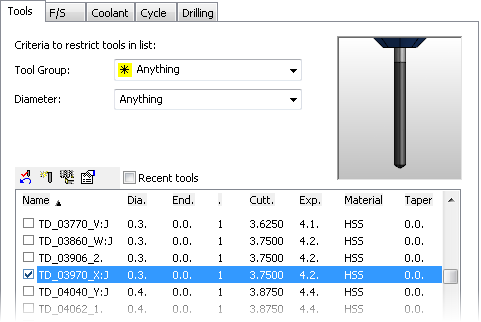
A list of available tools is displayed.
- Select the check mark to the left of a tool. In this example we need a tool with a diameter of
0.3.
- Click
OK to accept your changes and close the dialog.
Because similar Hole features are created as patterns instead of individual features, you need to edit only one feature and your changes are applied to all the features in the pattern.