Now you have created the features, FeatureCAM automatically:
- Selects the most appropriate tools and operations;
- Recommends machining strategies;
- Calculates speeds and feeds;
- Generates toolpaths and creates the NC code.
To view the simulated toolpath:
- Click Home tab > Simulation panel > Sim mode menu > 3D to change the simulation type.
- Click
Play
 on the Simulation toolbar to start the simulation.
If the Automatic Ordering Options dialog displays, click OK to close it.
This displays a solid 3D rendering of the cutting process. By default, the 3/4 view is shown when cutting or drilling the ID of the part.
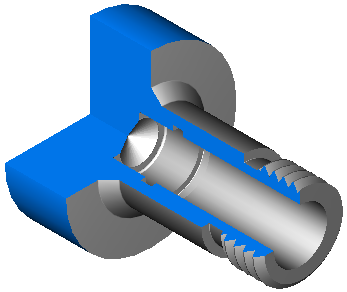 Note: If the 3/4 view is not displayed, select File > Options > Simulation > Round Stock page > 3/4 view with lathe ID work, then click OK to close the dialog. Click the Play button on the
Simulation toolbar to see the changes.
Note: If the 3/4 view is not displayed, select File > Options > Simulation > Round Stock page > 3/4 view with lathe ID work, then click OK to close the dialog. Click the Play button on the
Simulation toolbar to see the changes.
- Click the
Play to Next Operation
 button. This displays the face operation.
- Click
Play to Next Operation
again to view each subsequent operation until you complete the simulation.
- Click
Stop
 to end the simulation.