The stock is the initial material from which you cut your part. By default, the Stock wizard (Dimensions page) opens on the screen as soon as you create a new part. It enables you to set the shape and dimensions for the stock, the stock material, part program zero, and the coordinate system for modeling.
- On the
Dimensions page of the
Stock wizard:
- Enter an OD (outside diameter) of 4 (100 mm).
- Enter a Length of 5 (125 mm).
- Enter an ID (inside diameter) of 0 (0 mm).
- From the
Finish menu button select the
Finish and Edit Properties option.
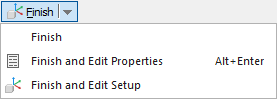
This displays the Stock Properties dialog.
- In the Stock Properties dialog enter a Z of 0.0625 (1.5 mm), and click OK.