Thermal analysis
From a command line run
$ pan -b 04_thermal
The analysis progress is written to file 04_thermal.out. To check progress on Linux, run
$ tail 04_thermal.out
or in Windows run
$ type 04_thermal.out
After the analysis completes, the last few lines of the output file 04_thermal.out should be similar to the following:
Starting auxspar
Number of no zeros nsymmetric =7172
Sparse preprocessing complete
 inc =    1877 time =    480.00000    iter =    1 eps =    0.54104E-03
 inc =    1877 time =    480.00000    iter =    2 eps =    0.72573E-08
Finished writing file results\04_thermal_1877.case
Increment end
CPU wall for increment 1877 = 00:00:00.01, since start = 00:04:29.38
Finished writing file .\04_thermal.case

Analysis completed

CPU wall = 00:04:29.43
CPU total = 00:17:13.05

Peak RAM used for this process = 65,352 kB

END Autodesk Netfabb Local Simulation
Actual CPU times will differ.
Results can be imported and viewed in Simulation Utility for Netfabb or ParaView. The results at three different time steps: beginning, middle, and end of the simulation, are shown in Figure 1.
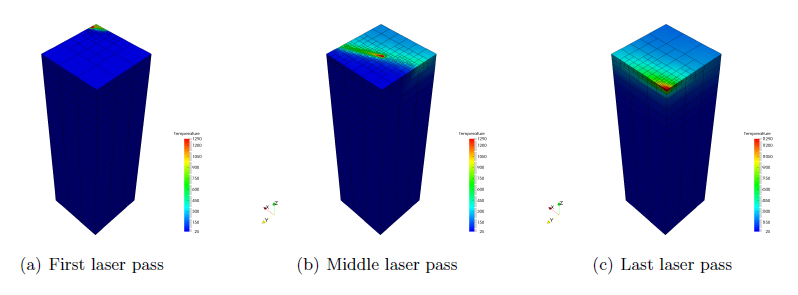
Figure 1: Temperature select time increments