Code Combinations Regulations Updates
The following new code combinations regulations have been implemented:
- American Codes: LRFD ASCE 7-16 and ASD ASCE 7-16
- Canadian Code: NBCC 2015.
To find these new code combinations regulations:
- Click
Tools
 Job Preferences Design Codes.
The Job Preferences dialog opens.
- Select Loads in the left panel of the Job Preferences dialog.
- Click the arrow from the
Code combinations drop-down list to open the list of available codes.
Note: The codes available in the drop-down lists depend on the country selected in the Preferences dialog. To configure the list of available codes, click the arrow, and then click More at the bottom of the list.
Calculation Solver Improvements
Seismic Analysis According to ASCE 7-16
The new instance of the American standard ASCE 7-16 has been implemented.
To find this new seismic code:
- Click
Tools Job Preferences Design Codes.
The Job Preferences dialog opens.
- Select Loads in the left panel of the Job Preferences dialog.
- Click the arrow from the
Seismic loads drop-down list to open the list of available codes.
Note: The codes available in the drop-down lists depend on the country selected in the Preferences dialog. To configure the list of available codes, click the arrow, and then click More at the bottom of the list.
- Seismic (Equivalent Lateral Force Method)
- Seismic.
Seismic (Equivalent Lateral Force Method)
- Click
Analysis
Analysis Types.
The Analysis Types dialog opens.
- Click
New.
The New Case Definition dialog opens.
- Select Seismic (Equivalent Lateral Force Method).
- Click
OK.
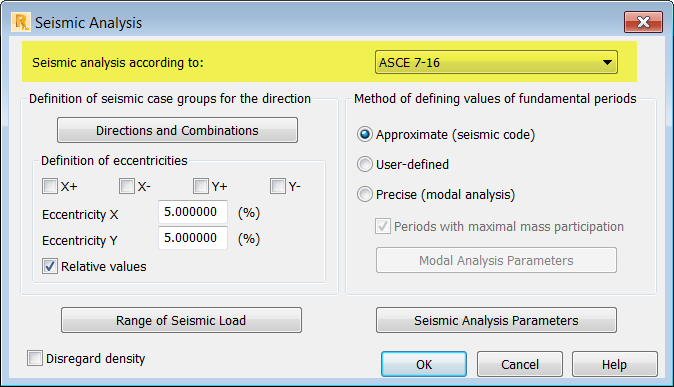
The Seismic Analysis dialog opens.
- Select the ASCE 7-16 code and specify the required code parameters, and then click
OK.
Seismic
- Click
Analysis
Analysis Types.
The Analysis Types dialog opens.
- Click
New.
The New Case Definition dialog opens.
- Select Seismic and then select the ASCE 7-16 code according to which you want to run the calculations.
- Click
OK.
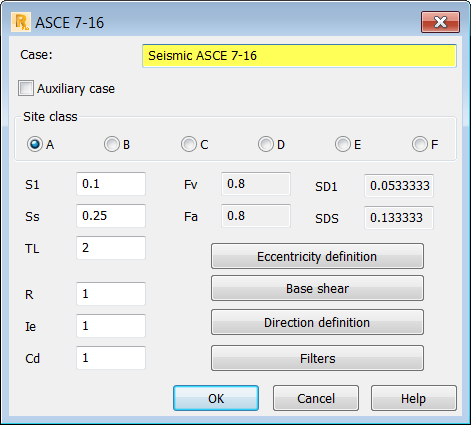
The ASCE 7-16 dialog opens.
- Specify the required code parameters, and then click
OK.
New Parameter in the Seismic (Equivalent Lateral Force Method)
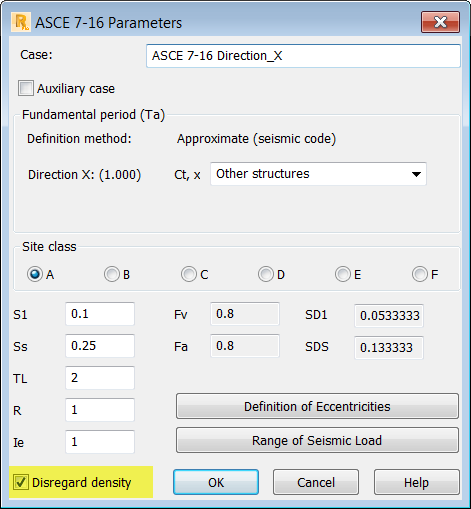
The Disregard density parameter has been added for the equivalent lateral force method.
This parameter allows you to exclude the density of the structure element (ρ=0) during the dynamic analysis of the structure.
You can access this option from the Seismic Analysis dialog.
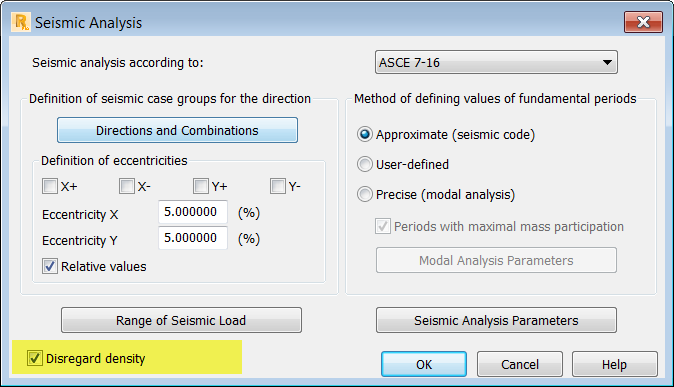
Moreover, once the seismic analysis is created, you can enable or disable it independently for the appropriate case.
New Parameter in the Buckling Analysis
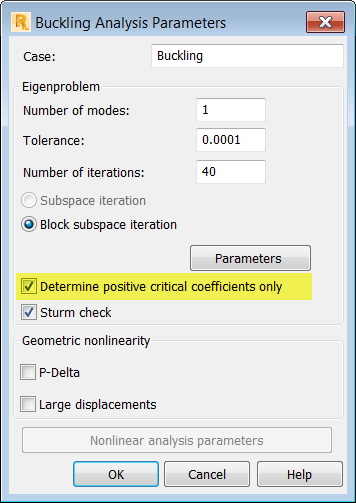
The Determine positive critical coefficients only parameter has been added for the buckling analysis.
This parameter allows you to exclude the non-physical buckling shapes during the buckling analysis of the structure.
You can access this option from the Buckling Analysis Parameters dialog.