Prior to Revit 2021.1, the set points on the default HVAC zone were used by Systems Analysis. These values could also be overridden by user-created HVAC zones. Starting with Revit 2021.1, these values are no longer used by systems analysis.
When upgrading a Revit 2020 or older model to Revit 2021.1, all building type and space type settings use the same values.
- For Imperial models: Heating Set Point = 70, Cooling Set Point = 74, Humidification Set Point = 0%, Dehumidification Set Point= - 70%
- For Metric models: Heating Set Point = 21.11, Cooling Set Point = 23.33, Humidification Set Point = 0%, Dehumidification Set Point = 70%
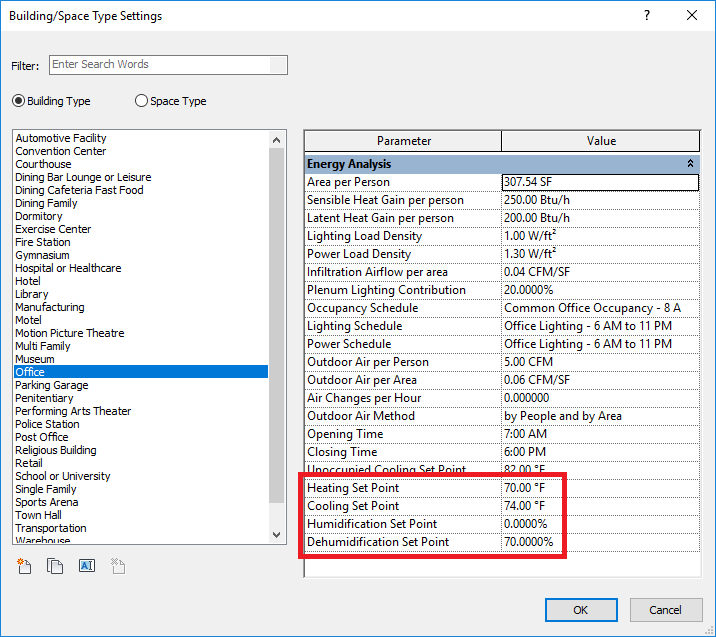
When you open a Revit 2021 project with Revit 2021.1, all building type and space type settings use the same values as above.
You can edit the set point values. Note that the Heating Set Point must be at least 1 degree F (0.56 degrees C) below the Cooling Set Point. Likewise, the Humidification Set Point must be at least 1% below the Dehumidification Set Point.
After creating the energy model, the set points in the Building Type settings are applied to the analytical spaces and display as read-only in the Properties palette.
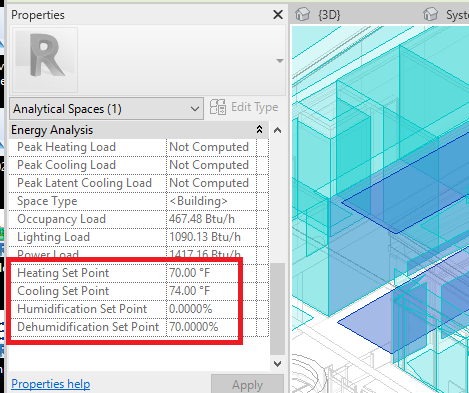
The set points may be overridden by using a Space in the same location as the analytical space. The values in the Space Type settings will be applied to the analytical space.
These set points are used when running a systems analysis. After running a sizing analysis, the Cooling and Heating Set Points display in the HVAC Sizing Summary of the analysis report.
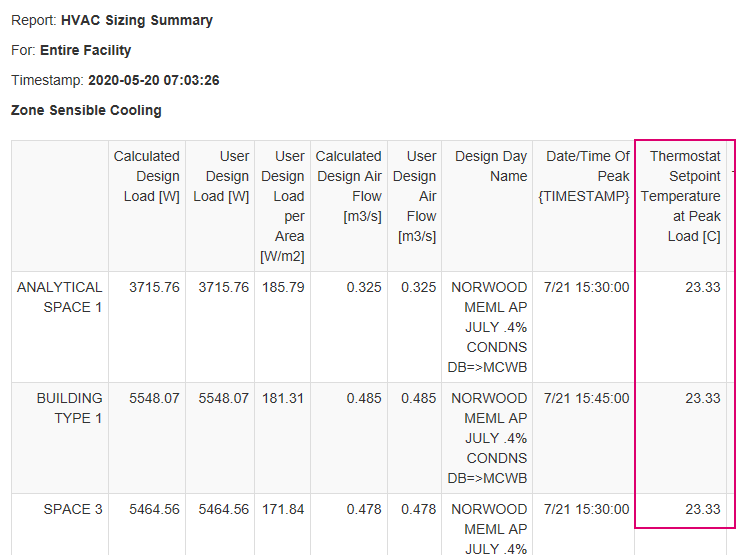
By creating a single zone equipment that covers multiple analytical spaces, a thermal zone will be generated for a systems analysis that may contain different set points for the included analytical spaces. In this case, the greatest value for heating is used and the lowest value for cooling is used. If this results in heating that is greater than cooling, the average values for heating and cooling will be used with a difference of 1 degree F. Also, the greatest value for humidification is used and the lowest value for dehumidification. If the humidification is greater than dehumidification, the averages and a difference of 1% will be used.