3ds Max includes two complete, independent subsystems for animating individual characters—CAT and character studio—as well as Populate, a self-contained crowd-simulation system. Both CAT and character studio provide built-in, ready-to-go but eminently customizable character rigs that can be skinned with either the Physique or Skin modifier, and both are compatible with a range of motion-capture file formats. Each is quite powerful in its own way, but there are significant differences between them.
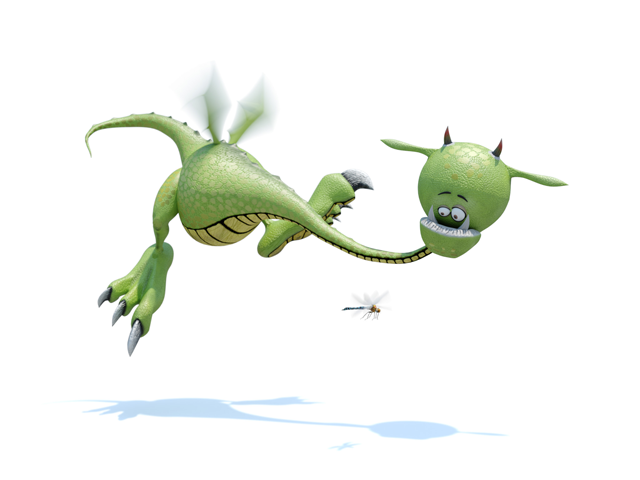
Artist: Roberto Ziche
The best way to determine which is best suited to a particular project you’re working on is to learn both, and then make the decision based on your experiences. However, if you’re pressed for time, read the following quick comparison and then look over the help for both systems.
-
CAT (Character Animation Toolkit)
CAT, while quite advanced, is in some ways the simpler of the two character-animation systems. With CAT, you can more easily rig and animate multi-legged and non-humanoid characters; it is also capable of animating humanoid characters quite realistically. Among the rigs built into CAT are a number of multi-limbed creatures such as a dragon with four legs and two wings, a spider, and a centipede with 18 legs. You can easily animate these along paths with no foot sliding using the graph-based CATMotion editor. CATMotion is best suited for modifying cyclical motion in real time by adjusting parameters for body parts such as the pelvis; parameters include Twist, Roll, Pitch, Lift, and Push.
Another powerful but relatively easy-to-use feature of CAT is the layering system, available both in CATMotion (for individual body-part cycles) and at the full-rig level, with keyframed weighting at both levels. The latter context supports color-coding of layers so it’s easy to see which layer is contributing to the motion at any given moment. CAT also supports blending between FK and IK for custom control.
Last, CAT provides muscle and muscle strand objects for simulating character musculature.
-
character studio
character studio comprises an extensive character-animation toolset that can work with multi-legged characters but is intended primarily for use with bipedal rigs; hence the name of its basic rig object: Biped. Also part of character studio is the Physique modifier for skinning character rigs. Physique can be used with rig objects other than Biped, and offers features such as user-definable rigid and deforming sections of the skin. The third character studio component is Crowd, which enables procedural animation of large groups of characters with behaviors such as avoidance, random motion, and following a surface.
Biped is the most advanced and powerful character studio component. Its features include procedural footstep (walk) creation, freeform animation, a specialized animation editor called Workbench, and a non-linear animation feature called Motion Mixer (also available for general animation). Also, the Motion Flow feature offers randomized script generation, procedural transitions, and more.
Populate
The Populate character-animation feature is ideal for producing scenes containing many people.
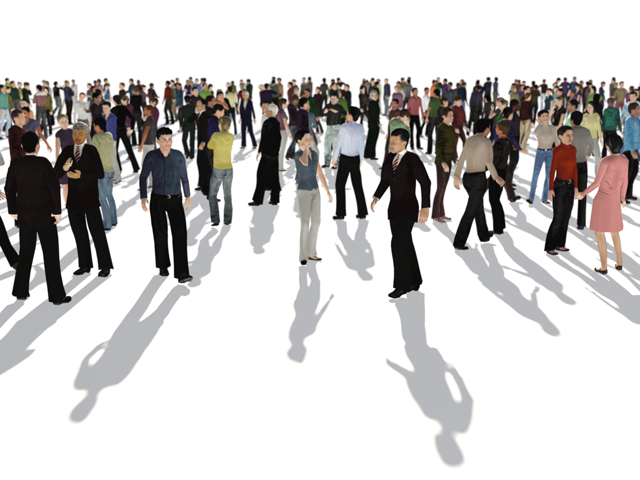
Populate has tools for quickly animating people moving along routes such as paths and sidewalks, as well as hanging out in specific areas, both sitting and standing. It lets you adjust the crowd appearance by controlling the characters' look, actions, interaction, speed, resolution, and so on. You can further customize the look and animation of a Populate crowd with traditional manual editing, using saved textures and baked animations.