Change the view window layout
Choose a layout
- Open the Layouts > All Windows submenu and choose a window layout.
Fill the screen with one view
- Open the Layouts menu and choose a window type:
- Layouts > Perspective

- Layouts > Front

- Layouts > Back

- Layouts > Right

- Layouts > Left

- Layouts > Top

- Layouts > Bottom

- Layouts > Perspective
Create your own window arrangement
You can create your own window arrangement by:
- creating new windows with Layouts > New Window

- resizing windows
- moving windows by dragging their title bar
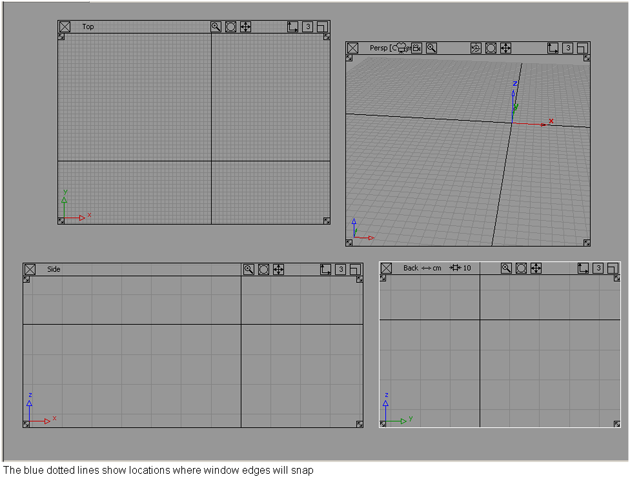
When resizing or moving a window, a magnetic region along all the other windows edges helps you to align the window and snap it into place. The edges around the perimeter of the Alias work space can also be used as snapping points (see the following picture).
Make a window stay in front or behind other windows
Click the depth icon in the window title bar.

Type a number from 1 through 9. The window will always be in front of windows with a higher number, and behind windows with a lower number.
What if...?
I’ve moved or resized my windows and I want to go back to a default layout?
Reselect the layout from the menus.
I don’t know which window is the current window?
The current (or active) window has a highlighted white border around it.