Shade a surface with zebra stripes
-
Click the
 button in the Diagnostic Shade window.
 -
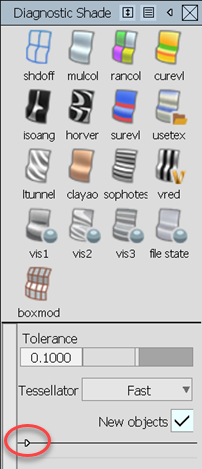
Click the small triangle at the bottom of the Diagnostic Shade window to show the shading options.
-
Do any of the following:
- Choose the direction of the stripes (horizontal or vertical).
- Use the Repeats slider to increase or decrease the number of stripes.
- Normally the highlights are relative to the camera, so you can see them “roll” over the surface as you tumble. Turn on the Lock Texture option to lock the texture to the surface.