Insert a subdivision edge or edge loop
Use the Insert Subdiv Edge tool to add parallel and perpendicular edges or edge loops at specified distances from selected edges. When you insert an edge, subdivision faces are automatically created to the adjoining edges.
Insert an edge or edge loop parallel to a selected edge or edge loop
-
In the Subdivision tool palette, select the Subdiv Insert Edge tool
 , then click the
  icon to open the control window.
 -
For Insert mode, select Parallel Edges.
-
Turn on Pick Edge Loop to insert an edge loop. Otherwise, a single edge gets inserted.
Pick Edge Loop is on by default.
-
For Side mode, specify whether you want to insert a Single edge loop or edge loops on Both sides of the selected edge loop.
-
Click the edge loop nearest to where you want the new edge loops to be inserted. The new edges appear.
-
To position the new edge loops, do one of the following:
-
 + drag the cursor where you want to place the new edge loop. The new edge loop follows your cursor as you drag it.
 -
In the control window, select an Offset mode and then use the Parameter control to set an offset value.
When Offset mode is set to Relative, this value specifies an offset that is relative to the nearest parallel edge loop.
When Offset mode is set to Distance, this value specifies an offset that is an absolute distance (in set units) from the selected edge loop.
-
-
Press Enter or click Next in the view to place the edge.
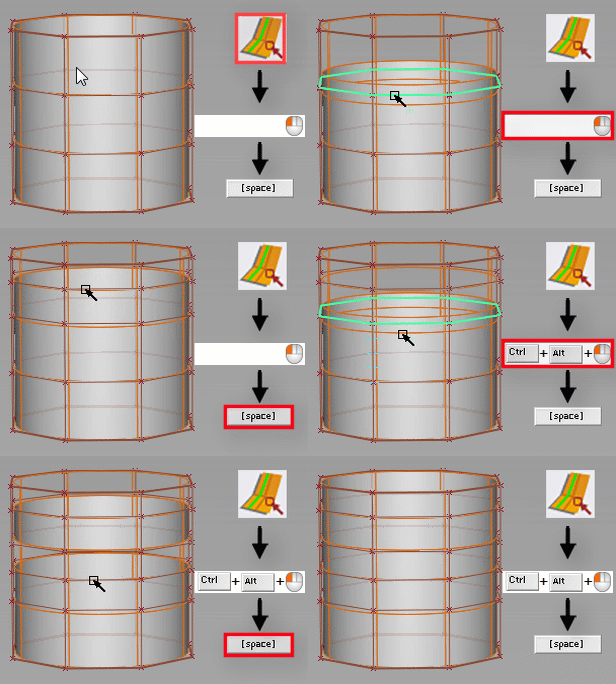
Sides mode: Single
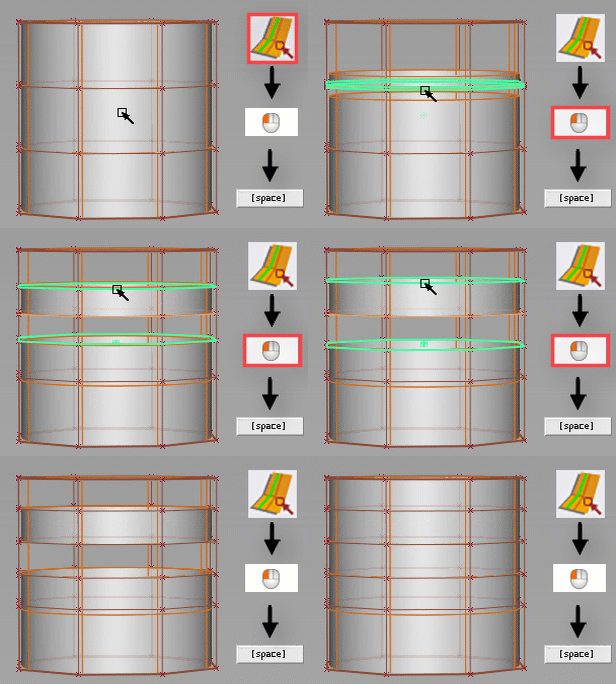
Sides mode: Both
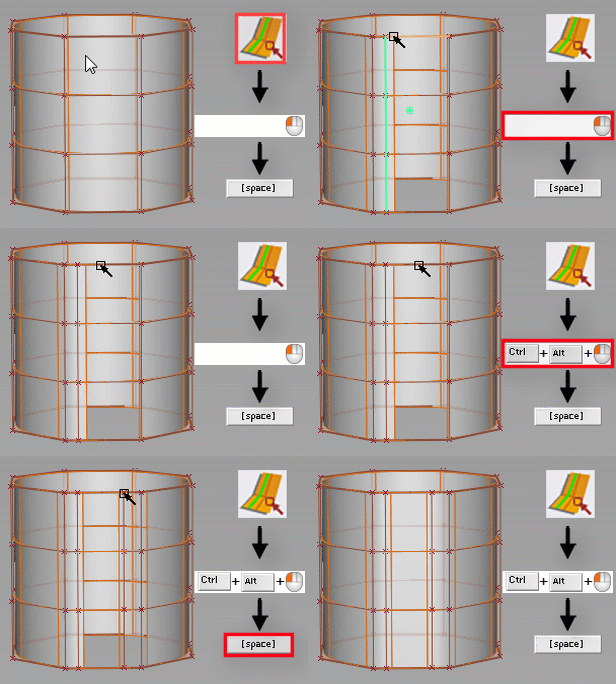
Insert an edge perpendicular to the selected edge
-
In the Subdivision tool palette, select the Subdiv Insert Edge tool
, then click the icon to open the control window. -
For Insert mode, select Perpendicular.
-
Turn on Pick Edge Loop to insert an edge loop. Otherwise, a single edge gets inserted.
Pick Edge Loop is on by default.
-
Click the edge loop that runs perpendicular to where you want the new edge loop inserted. The new edge loop appears.
-
To position the new edge loop, do one of the following:
-
+ drag the cursor where you want to place the new edge loop. The new edge loop follows your cursor as you drag it.
-
In the control window, select an Offset mode and then use the Parameter control to set an offset value.
When Offset mode is set to Relative, this value specifies an offset that is relative to the nearest parallel edge loop.
When Offset mode is set to Distance, this value specifies an offset that is an absolute distance (in set units) from nearest parallel edge loop.
-
-
Enter or click Next in the view to place the edge.