Exporting custom G-Code from GibbsCAM
Transfer custom G-Code from GibbsCAM to TruePath.
Entering custom G-Code in the utility data of a toolpath
Custom G-code may be exported to CAMplete TruePath by using Utility Data > At Op Start defined in Operation Data in the CAM section of GibbsCAM.
To edit the toolpath in GibbsCAM, follow the steps below:
-
Start GibbsCAM.
-
Open the GibbsCAM project.
-
Click CAM and select the operation, you want to add macro to.
-
Right-Click and select Operation Data for that toolpath.
-
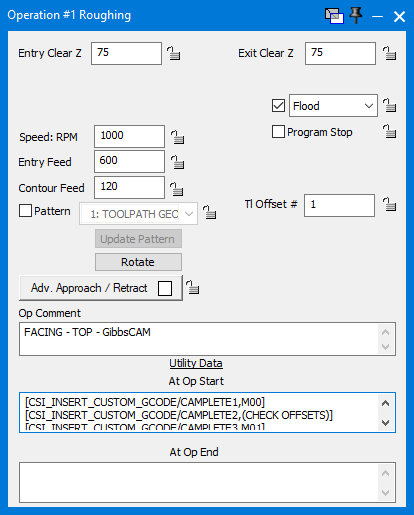
In the At Op Start text box, type the appropriate CSI_INSERT_CUSTOM_GCODE as indicated above. The example below shows an example in the first operation where custom G-code is output at the start of the program and before the tool change.
In this example, the following text was entered. This will output two lines at the start of the program and 1 line before the tool change.
[CSI_INSERT_CUSTOM_GCODE/CAMPLETE1,M00]
[CSI_INSERT_CUSTOM_GCODE/CAMPLETE2,(CHECK OFFSETS)]
[CSI_INSERT_CUSTOM_GCODE/CAMPLETE3,M01]
To modify the NC Format
-
In the ribbon, click Manage > Resources > NC Formats.
-
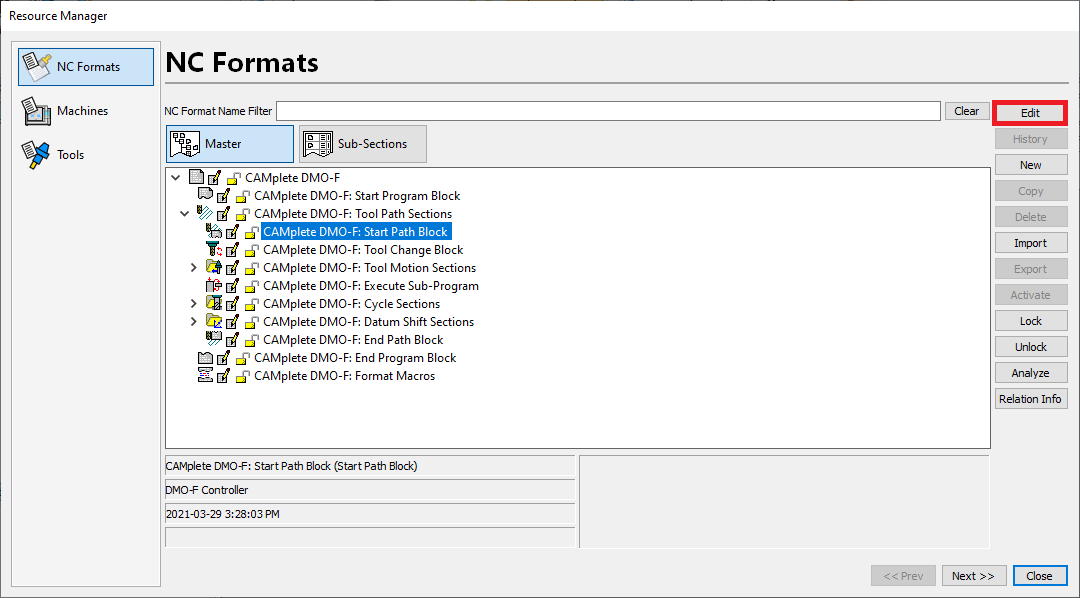
Expand the NC format you want to edit. In this example, the Start Path Block is edited so that the MDE’s appear at every operation.
Select the Start Path Block and click Edit.
-
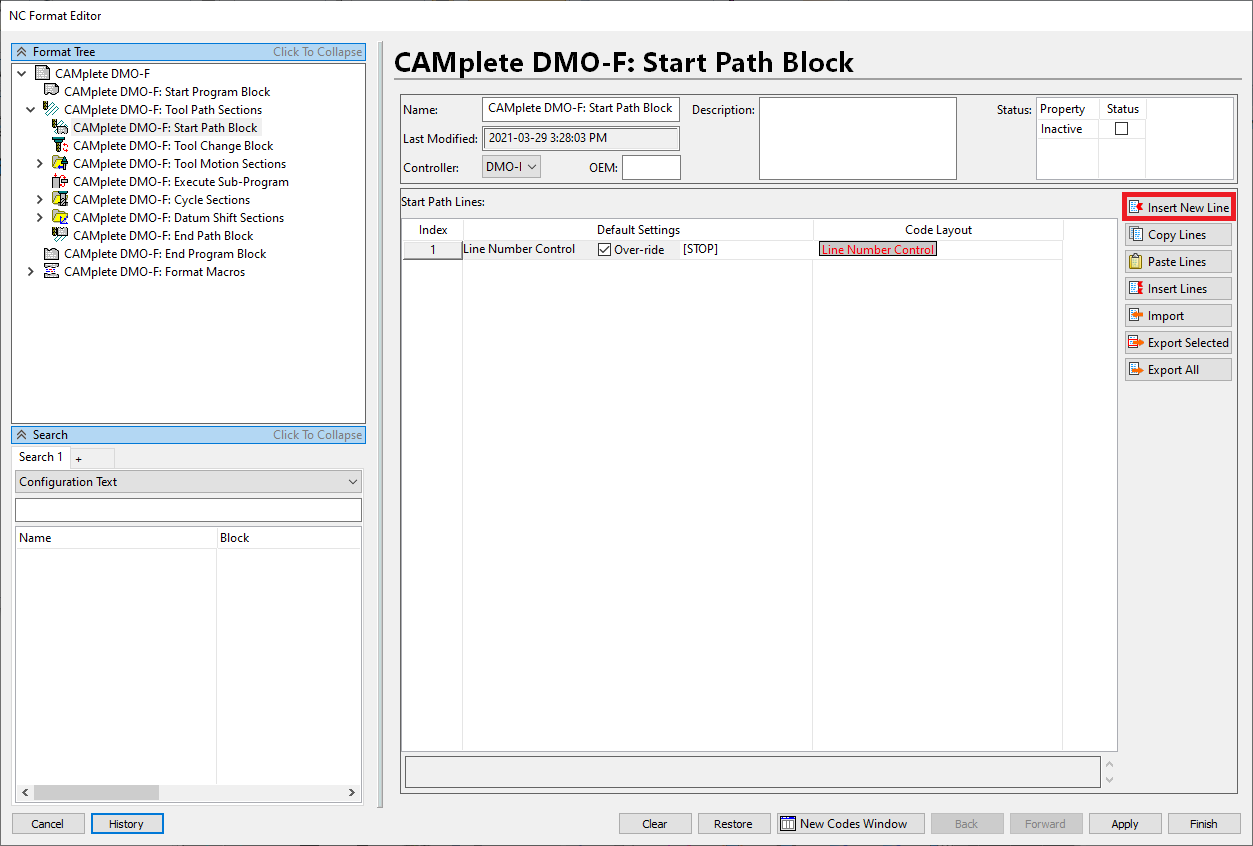
In the NC Format Editor, click New Line to add new lines to the block.
-
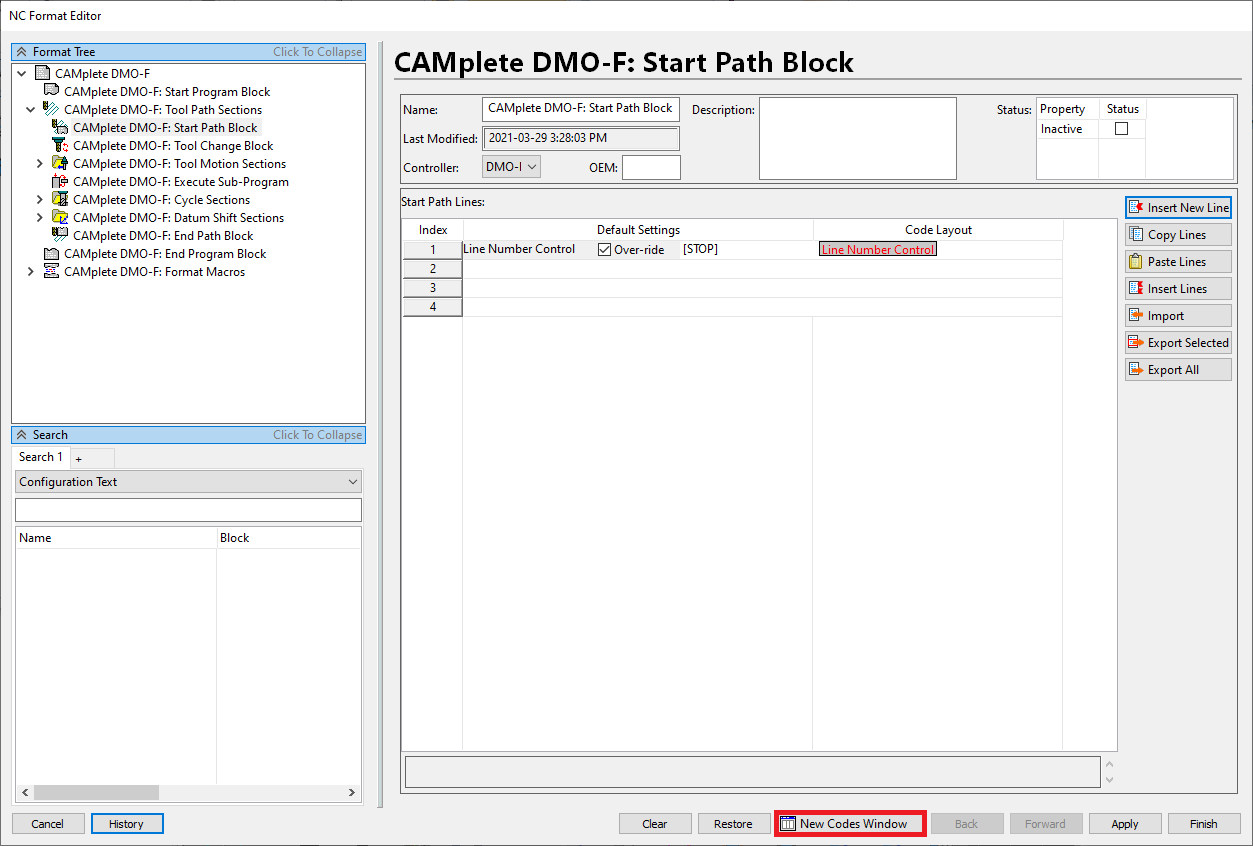
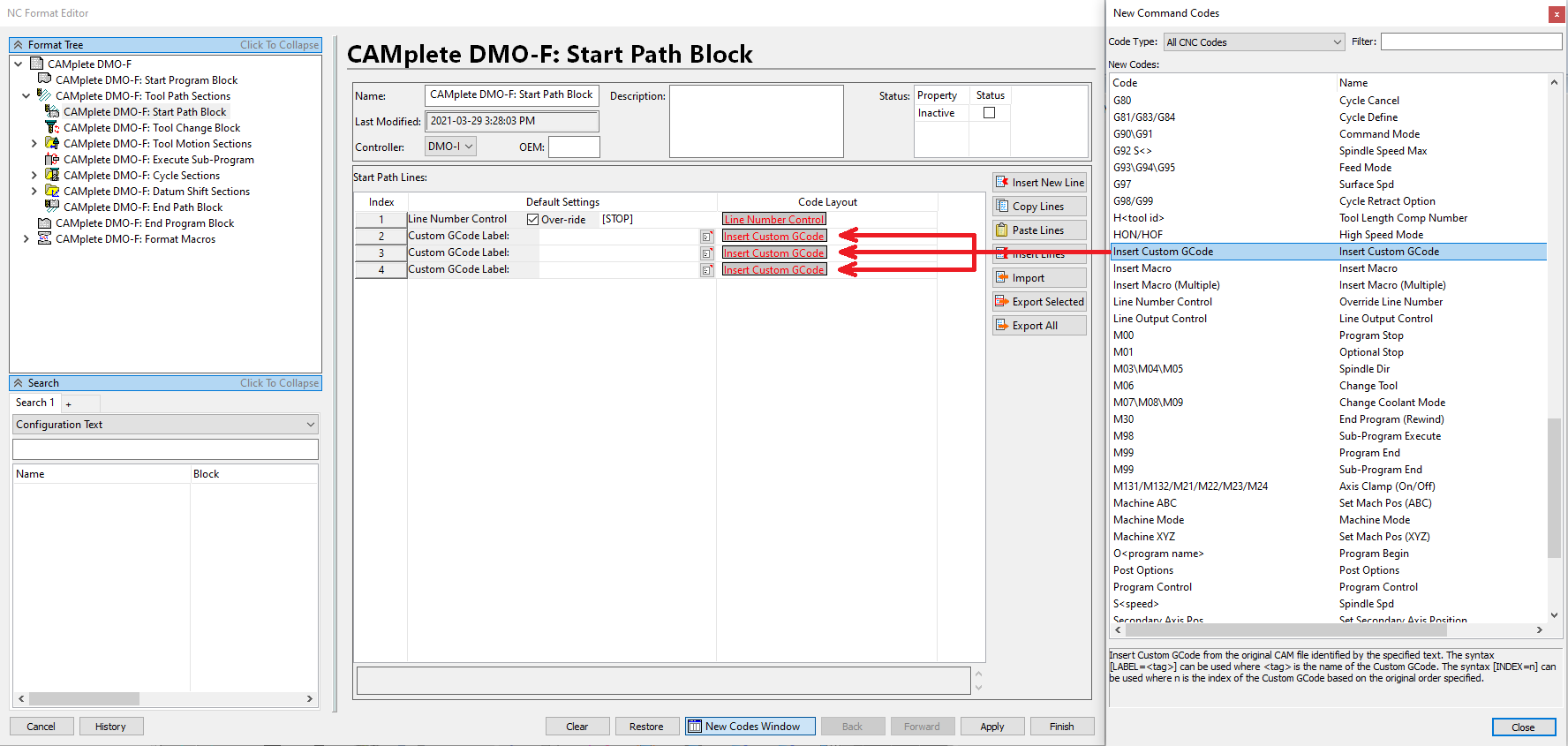
Click New Codes Window.
-
Select Insert Custom GCode code and drag the code to the Code Layout column for each line you added.
-
For each code you add, enter descriptive text, for example, CAMPLETE1 to CAMPLETE3.
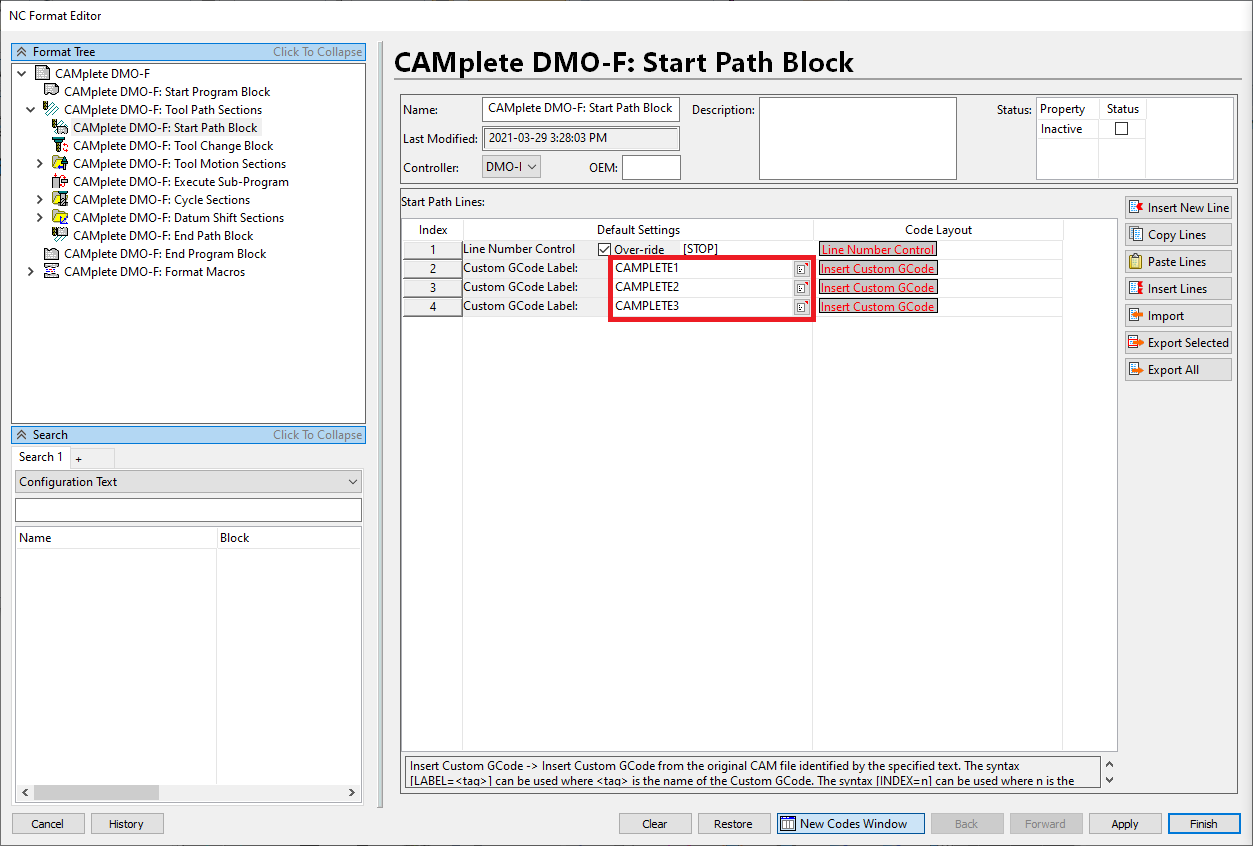
This means that the first line of the At Op Start data with CAMPLETE1 appears on line 2, the second line of the At Op Start data with CAMPLETE2 appears on line 3, and so on.
-
Click Finish to commit this change.
To switch to custom codes
By default, custom G-codes are posted as comments. To post them as custom G-code, follow these steps:
-
In the ribbon, click Manage > Tools > Options.
-
Select the Advanced page.
-
Click OK when prompted.
-
Expand the CAM Operations folder.
-
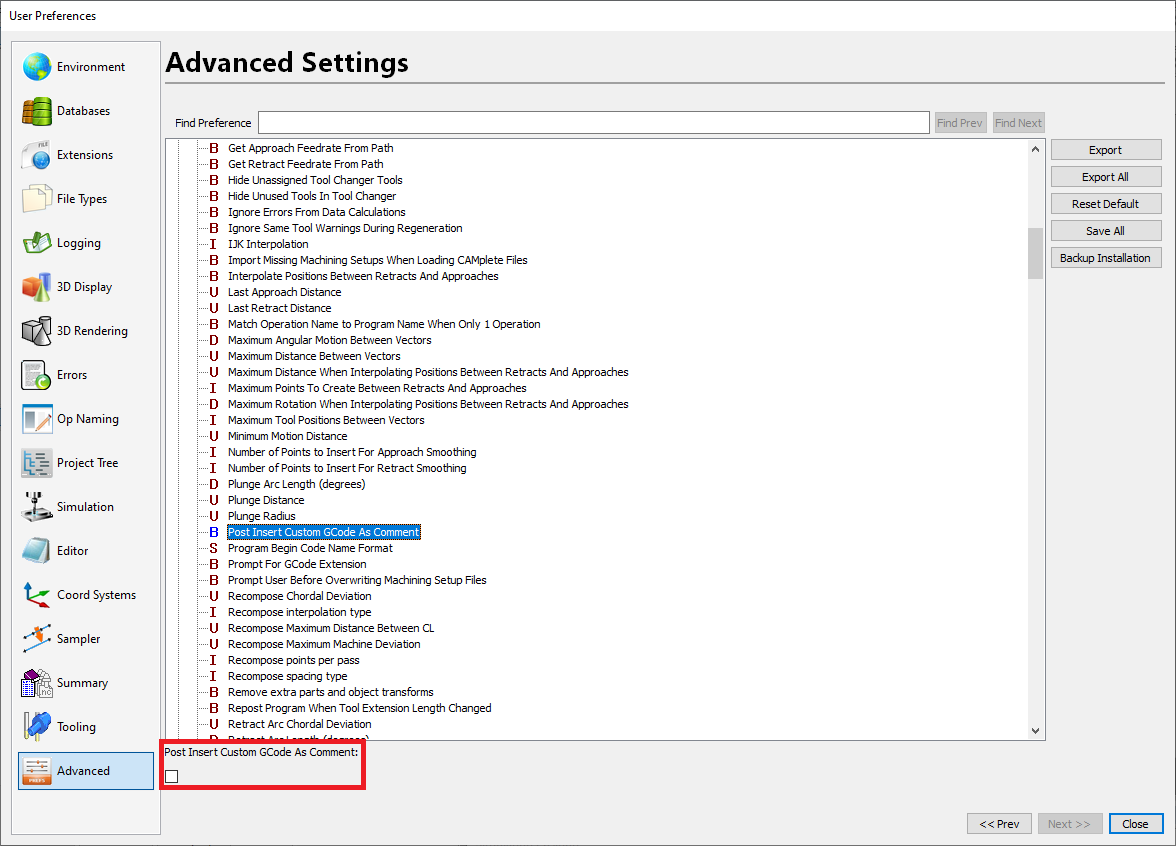
Select the option Post Insert Custom GCode As Comment.
-
Deselect the Post Insert Custom GCode As Comment option.
-
Click Close.
-
Close CAMplete TruePath.
Important: Any G-code that the At Op Start data passes from GibbsCAM to TruePath is custom G-code. It isn’t simulated. So, if you add an XYZ or G53 Z0 move, it will not be simulated.