Tolerance Analysis Installation Help
These frequently asked questions are intended to answer some of the questions you might have about Tolerance Analysis, your subscription, and how to install and keep Tolerance Analysis up to date.
What is the Product Design & Manufacturing Collection (PDMC)?
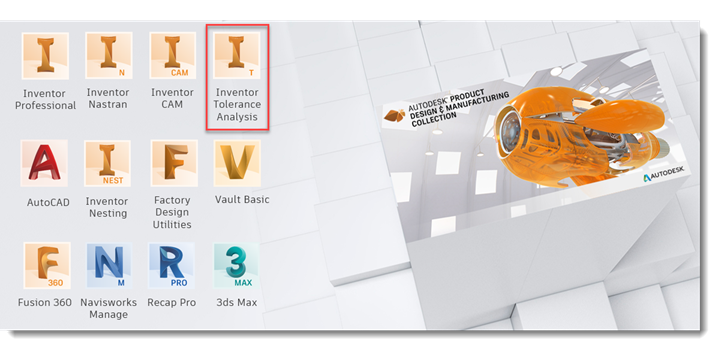
PDMC is a collection of Autodesk® software that offers a solution that spans across design and manufacturing. It includes the tools you need to design, simulate, analyze dimension tolerances, nesting, CAM, and create factory, and other types of layouts. This collection is available in a single subscription called the Product Design & Manufacturing Collection. Inventor® Tolerance Analysis is included in this collection.
Do I already have a subscription?
You can follow these steps to check the status of your subscription:
- At the top left, in the Accounts panel, select All Products & Services.
- In the Products & Services column, locate the Product Design & Manufacturing Collection.
- Click View items.
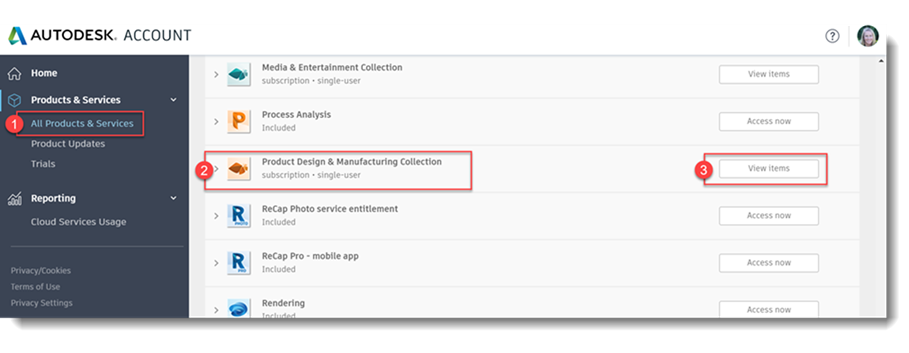
If you don't see the Product Design & Manufacturing Collection on the list, you might not have a subscription to this collection. Some next steps could be to check with your Administrator or install the free trial at any time to try before you buy.
Can I install a trial before I buy?
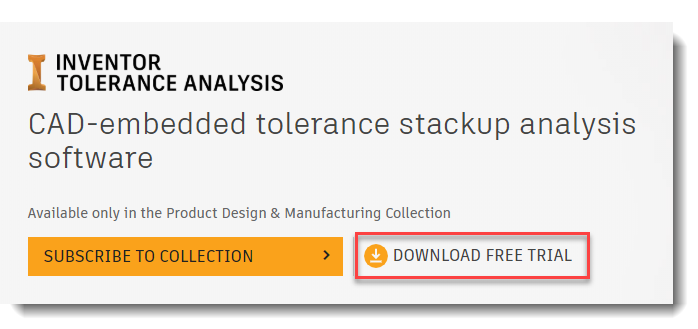
Yes. You can try out Tolerance Analysis for 30 days before you buy.
How do I subscribe to the collection?
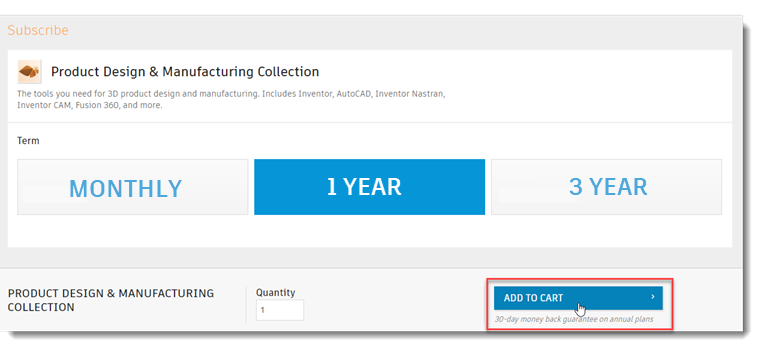
Inventor Tolerance Analysis is only available with a subscription to the Product Design & Manufacturing Collection.Select a plan, add it to your cart, and check out. Once you've made your purchase, you can easily install Tolerance Analysis from your account.
How do I install Tolerance Analysis once I've subscribed?
- At the top left, in the Accounts panel, select All Products & Services.
- In the Products & Services column, locate the Product Design & Manufacturing Collection.
- Click View items.
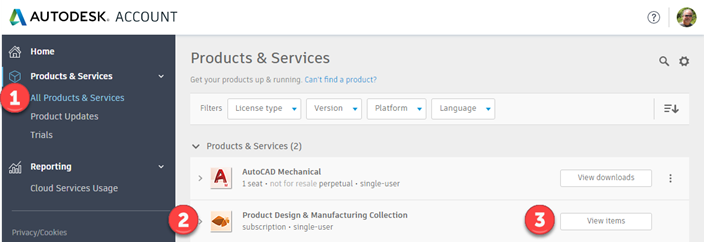
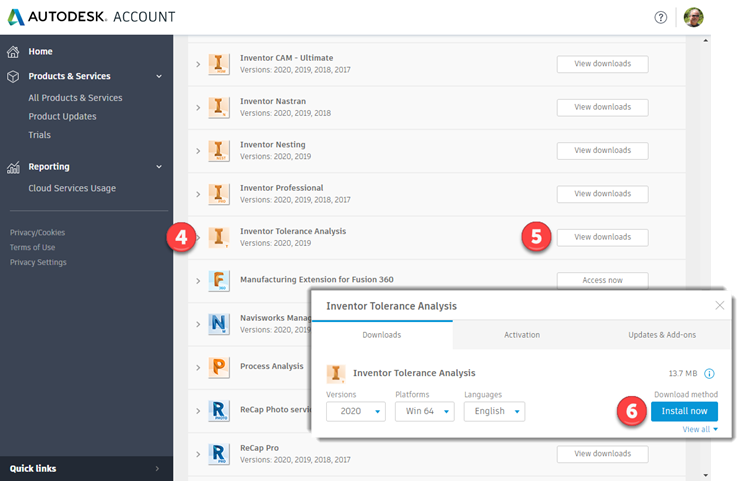
- Locate Inventor Tolerance Analysis from the items list.
- Click View Downloads.
- Click Install Now.
How do I install through the Autodesk Desktop App?
- Double-click the Autodesk Desktop App icon.
- To install, go to My products and tools.
- Select the checkbox to agree to the terms and conditions and to activate the Install button.
- Click Install.

How do I get updates for Tolerance Analysis?
- At the top left, in the Accounts panel, select All Products & Services.
- In the Products & Services column, locate the Product Design & Manufacturing Collection.
- Click View items.
- Locate the Tolerance Analysis add-in and click View downloads.
- Click Updates & Add-ons.
- Click Browser Download.
- Click Start Download.
How do I get started using Tolerance Analysis?
Check out Guided Tutorials, videos, and the online Help for more information about the Inventor Tolerance Analysis add-in.
For Administrators
How do I create or modify a network deployment?
Working with your Autodesk Account
To more clearly understand your Autodesk Account and know where to go to find things, check out this short video.

Still have questions?
Contact customer support: