By default, the DRO communicates with the CMM using the connection protocol specified for PowerInspect. Select this menu option to specify the connection protocol when the CMM driver is not already configured.
It displays the CMMDriver Configuration dialog.
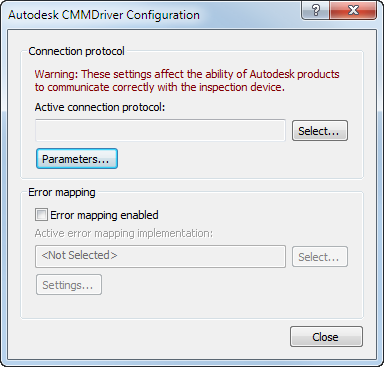
To specify the connection protocol:
- Click Select. The Select Connection Protocol dialog is displayed.
- Double-click the communication protocol for your measuring device. The dialog closes and the selected protocol is displayed in the Active connection protocol box in the CMMDriver Configuration dialog.
- If the protocol you selected requires additional parameters, click Parameters to specify the parameter settings. A parameters dialog is displayed, for example:
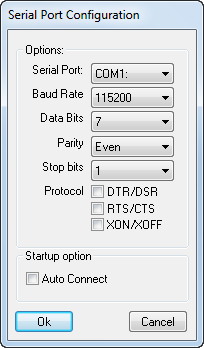
- Enter the parameters for the protocol, then click OK to save your changes and close the dialog.
- In the CMMDriver Configuration dialog, click Close.