- In the Project Setup tree view, expand P&ID Class Definitions.
- Continue to expand the list until you locate and click the component or line whose properties most closely match the component or line you want to create.

The component or line that you select is used as the template for the new component definition.
- Right-click the selected class definition. Click New.
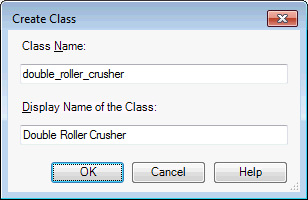
- In the Create Class dialog box, enter a name for the new class definition.
- Click OK.
- In the Project Setup tree view, expand the list until you locate where the new class definition was added. Select the new component definition.
- On the Class Settings pane, make the desired changes to the new definition symbol settings, properties, tag format, and annotation style.
- Under Symbol, click Add to Tool Palette.
The new class definition is added to the active tool palette. The new tool can be used just like the default tools provided with the program, and is included in reports.
Note:If the tool palette is not open when you click Create Tool, the component is added to the bottom of the tab last displayed.
Note:
Before you start this procedure, make sure the P&ID tool palette is displayed and that the active tool palette tab is the one where you want to add the new plant object. For example, if you are adding a pump to the tool palette, make sure that the Equipment tab is active.