Use the Issues Add-in View to view issues within the current opened view.
The view that an issue was created on is not always available in the file currently open in Revit. This may be because the view has since been deleted from the file, the issue comes from an associated model, from a later version of the file or from an ACC view that is not available in the file.
The Issues Add-In View is used to display issues and provide more information with the current file opened.
The Revit Issues Add-in view will be generated automatically the first time it is required and will appear in the Revit file as Revit_Issues_Addin_View. The view can be renamed and altered as desired using the standard Revit tools. If the view is deleted then it will be automatically regenerated the next time it is required.
Settings
View settings for the Revit Issues Add-in view can be found in the hamburger menu on the Issues pane.
Within the view settings you can check the current name view used by the Revit Issues Add-in. This is useful if the name of the view has been changed from default.
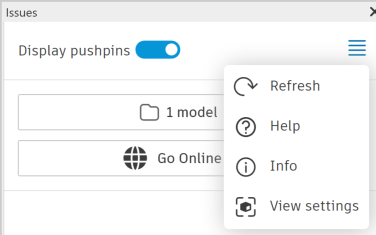
The View options allow the user to control how the Revit Issues Add-in view is used:
- When Default view is selected, the add-in will first try to find the correct view within the opened file on which to display the selected issue. If the view cannot be found within the file then the add-in will revert back to the Revit Issues Add-in view and show the issue there.
- When Revit Issues Add-in view is selected, the add-in will use the Revit Issues Add-in view when any issue is selected, regardless of whether the file contains an appropriate view or not.