Working with Fog
Add fog for atmospheric effect and to make your model the center of attention.
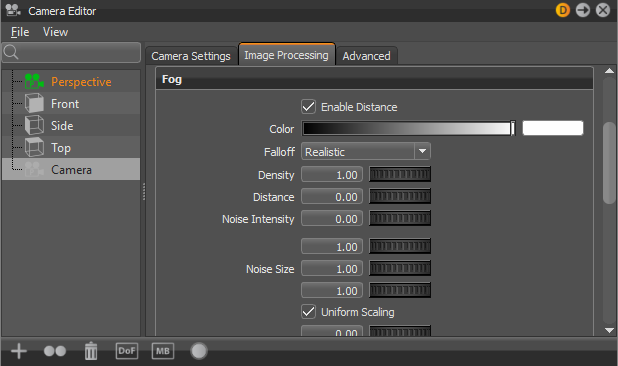
Cameras in VRED support classic fog effects as part of image processing. The fog is only visible when there's geometry. It's not volumetric, so there's no fog between objects. Create either distance or height fog. Use Fog for atmospheric effects to help someone better understand the distance and scale of objects. Make your model the center of attention, by fading objects in the distance. In the Camera Editor, along the left, select a camera angle, then to the right and along the top, select the Image Processing tab and click Fog to expose its parameters.
Several parameters were added, such as Noise Offset, so you can change the position of irregularities in the fog.
Click here to view the Fog video.
How to Create Fog
In the Quick Access Bar along the bottom of your screen, click Cameras to access the Camera Editor and the Fog UI.

Click one of the camera nodes, then the Image Processing tab to the right.
Click Fog to access its parameters.
VRED creates two types of fog, Distance and Height.
 Note:
Note:Fog is computed before any other post-processing effect.
How to Copy and Paste
As with other camera attributes, Fog attributes can be copied and pasted between cameras or viewpoints.
How to Animate Fog Attributes
Fog attributes can be animated in the Curve Editor. See How to Create Keyframe Animation for more information.