Tire
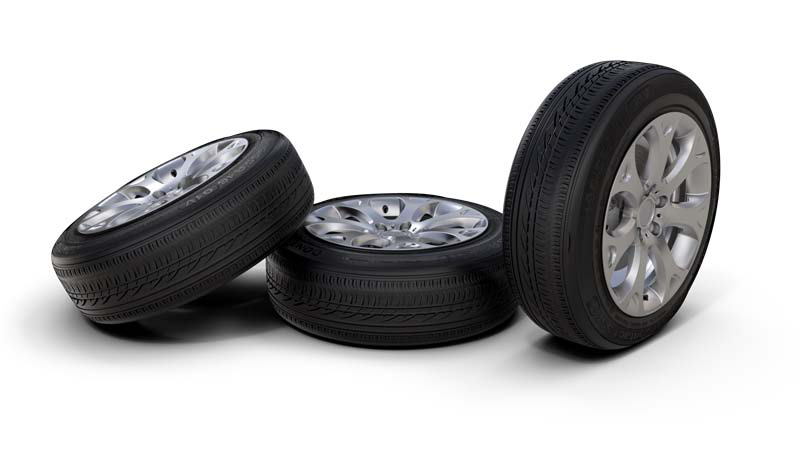
Tire material supports several surfaces and structures for rim and profile within a single texture. The tire material texture settings allow the accurate placement and wrapping of textures to fit a tire shaped object.
Tire Material
-
Diffuse Color - This attribute defines the base color, the main characteristic of the material. Use the slider to change the brightness. Click the color field on the right to open the color chooser. Assigning a texture to the diffuse color projects it onto the surface. The appearance is a combination of the defined color and the assigned texture.
-
Glossy Color - Sets the material’s color for surfaces glossy reflections. Use the slider to change the brightness. Click the color field on the right to open the color chooser. Assigning a texture to the glossy channel defines areas in which different gloss intensities appear with help of a texture. The glossy color depends finally on both the defined color and the assigned texture file.
-
Roughness - The roughness parameter controls light reflections on top of the surface. The higher the value the rougher the microscopic structure on top of the surface and the more diffuse are the reflections.
-
Reflectivity - Controls the intensity of reflection on the surface. The higher the value the more the influence from environment and objects around.
Texture Settings
-
Get Values from Object - Attempts to guess the correct Rotation Axis, Center, Markings Scale, and Profile Repeat V from the object's boundings.
-
Rotation Axis - Select the rotation axis.
-
Center X/Y/Z - Sets the brush projection center. To center the projection pivot automatically, select an object and click Get Values From Object. The selected object center is used as projection pivot.
-
Repeat Profile U/V - Sets the U and V repetition of the profile texture.
-
Scale Markings - Sets the texture scale value for the marking texture.
-
Blend Position - Sets the marking and profile texture blend position.
-
Anisotropy - Sets the texture filter quality for the image texture. Value 1 is lowest quality. Value 16 is highest quality.
Diffuse Texture
-
Use Marking - Loads an image texture to be applied to the tire sides for the diffuse color channel. The image is used as a pattern on the surface sides.
-
Use Profile - Loads an image texture to be applied as the tire profile for the diffuse color channel. The image is used as a pattern on the surface middle.
-
Input Gamma - Sets the texture image gamma correction.
-
Use ICC Profile - If selected, the texture colors are interpreted based on an embedded color profile if present. If a color profile is missing, it is assumed that the colors are stored in sRGB.
Glossy Texture
-
Use Marking - Loads an image texture to be applied to the tire sides for the glossy channel. The image is used as a glossy pattern on the surface sides.
-
Use Profile - Loads an image texture which is applied as the tire profile for the glossy channel. The image is used as a pattern on the surface middle.
-
Input Gamma - Sets the texture image gamma correction.
-
Use ICC Profile - If selected, the texture colors are interpreted based on an embedded color profile if present. If a color profile is missing, it is assumed that the colors are stored in sRGB.
Bump Texture
-
Use Marking - Loads an image texture to be applied to the tire sides for the bump structure. The image is used as a bump pattern on the surface sides.
-
Use Profile - Loads an image texture which is applied as the tire profile for the bump structure. The image is used as a pattern on the surface´s middle.
-
Bump Intensity - Sets the bump intensity interpretation of the bump image texture.
-
Parallax Intensity - Sets the parallax shift interpretation of the bump image texture.
For further information on the Incandescence, Transparency, Displacement, Raytracing, and Common settings, refer to the General Truelight Material Settings section.