Woven Cloth
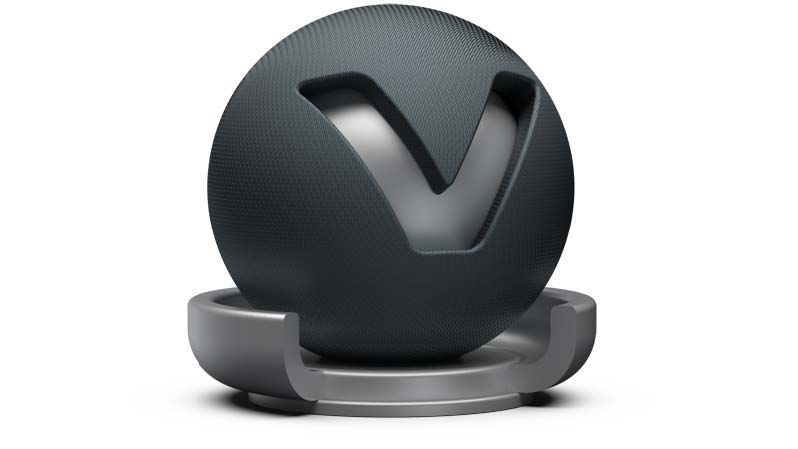
The Woven cloth material contains presets for many common types of fabrics and allows the creation of a customized cloth material without using an external texture. Customized cloth patterns can also be used by importing a texture.
Woven Cloth Material
-
Diffuse Color - Sets the shader’s diffuse reflection color. The shader adopts this color when the light reflection of the surface is spread in many directions.
-
Darkening - Controls the appearance of the diffuse component. The default darkening value of 1.0 corresponds with a perfectly diffuse surface. Higher values than 1.0 darken the material, lower values brighten it up.
-
Warp/Weft Yarn Color - Sets the color of the vertical (warp) and horizontal (weft) yarn. Use the sliders to change the brightness. Click the color field on the right to open the related color chooser. It is best practice to use similar colors for warp and weft yarn.
-
Cloth Presets - Choose from various handpicked material presets. These presets are also available in the VRED Example Assets in the Asset Manager. The parameters change automatically when a cloth preset is selected.
-
Weaving Pattern - The weaving pattern defines how the yarn is woven to cloth.
-
Yarn Type - Defines the glossiness of the yarn.
- Staple Yarn - Simulates yarn that is made up of many tiny threads. Use this type for rough types of clothes such as denim.
- Filament Yarn - Simulates yarn that is made up of one single untwisted, virtual yarn. Use this type for shiny types of clothes such as silk.
-
Yarn Twist Angle - The yarn twist angle determines the glossiness of the yarn and depends on the choice made in the yarn type.
-
Highlight Width - Defines the width of the glossy highlight on the yarn segments.
-
Exposure - Defines the brightness of the glossy component.
-
Noise Intensity - Sets a natural noise effect for matt surfaces (staple yarn is recommended).
-
Moiré Removal - The higher the value, the more effective the moiré pattern is being softened. If too high, any structure is softened and surface information might get lost.
-
Advanced Yarn Settings - Allows you to define the curvature for weft and warp yarn.
Procedural Weaving Texture
The procedural BTF is highly dependent on how the weaving pattern is mapped onto the object’s surface. The texture mapping controls size and direction of the yarn and therefore its reflection behavior.
-
Texture Mode - Sets the texture projection mode, either UV Coordinates or the Triplanar Mode.
When the Texture Mode is set to UV Coordinates, UV information for the texture projection is used. You can set the following parameters:
-
Pattern Repeat - When the texture mode is set to UV Coordinates, Pattern Repeat defines the number of repetitions of the texture along the UVs.
-
Pattern Rotate - When the texture mode is set to UV Coordinates, Pattern Rotate defines rotation angle of the texture along the UVs.
When the Texture Mode is set to Triplanar, the triplanar projection mode is activated, regardless of any UV information. You can set the following parameters:
-
Texture Size X/Y - When set to triplanar projection mode, this value allows you to scale the weaving pattern in mm.
-
Uniform Repeat - Fills the same value into all X/Y/Z Repeat fields.
-
X/Y/Z Repeat UV - Allows you to change the repetition rate for all projection axes.
-
X/Y/Z Rotate - Allows you to change the rotation angle for all projection axes.
-
Diffuse Texture
For further information on the Texture settings, refer to the Phong material Diffuse Texture section.
Yarn Texture
-
Use Texture - Loads an image texture for the yarn. The image is used as a pattern on the surfaces.
The yarn textures settings are identical with the settings for the diffuse texture. For further information on the Texture settings, refer to the Phong material Diffuse Texture section.
Bump Texture
For further information on the Texture settings, refer to the Phong material Bump Texture section.
For further information on the Incandescence, Transparency, Subsurface Scattering, Displacement, Raytracing, and Common settings, refer to the General Truelight Material Settings section.