Feature lines labels use the general multipurpose line and curve label styles. The Autodesk Civil 3D NCS drawing templates contain several useful styles, including Gradient Only and Slope Only.
Setting Downhill Arrows
The default Gradient Only label style displays the gradient using a direction arrow that points in the forward direction of the feature line.
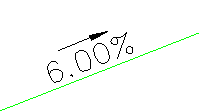
Figure 5: Default display of a Gradient Only label on a feature line
Use an expression to configure the direction arrows in this label style to point in the downhill gradient direction, which may be more useful. To do this, edit the Arrow component of the Gradient Only style, as shown in figure 6.
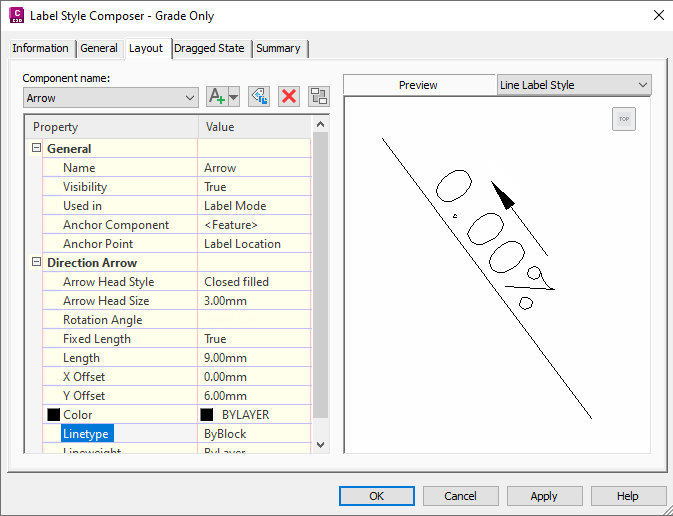
Figure 6: Configuring Gradient Check arrows in Gradient Only label style
To set downhill gradient arrows
- In Toolspace, on the Settings tab, expand the General
 Label StylesLine collection.
 - Right-click Gradient OnlyEdit.
- In the Label Style Composer dialog box, on the Layout tab, select the Arrow component.
- In the Direction Arrow section, click the value for Rotation Angle and select Gradient Check.
- Click OK to apply the change.