Create a new surface from a mesh
Quickly create a NURBS surface from a subset of a mesh. Once the surface is created, you can edit its boundaries using the corner handles.
In the Surfaces tool palette, click the Surface from Mesh
 , then select the
  icon.
icon.Select the mesh.
Select the triangles to use to create the surface using the selection mode set under Selection Options in the Surface From Mesh Control window.
To clear the entire selection, click Clear.
Click Build to create the surface.
Subset the mesh before creating the surface to improve performance.
Update a surface built in Theoretical Surface creation mode
After you build a surface in Theoretical Surface creation mode, rotate the manipulator to the desired orientation and update.
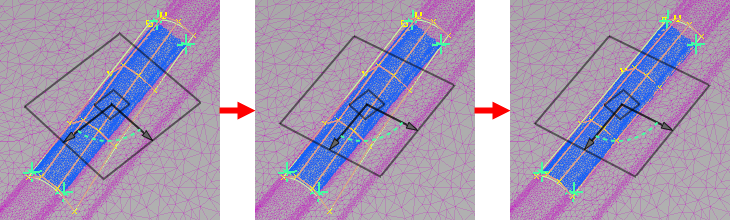
To reset the orientation of the plane after updating to the original orientation, click the small square in the middle of the manipulator.