Object Edit > Extend
Extends a curve or surface beyond its current endpoint or edge by adding new geometry.
Tips and notes
The two types of extension can produce very different results.
The Merge option creates a multi-knot at the connection point for Linear extensions. Curves with multi-knots may not be usable as construction curves, and CAD packages cannot import them.
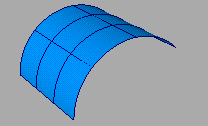
Extend Object Options
Extend Type
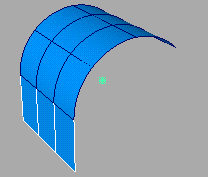
Linear – Extend the curve or surface in a straight line.
Because this extension is linear and has no curvature, there is usually a curvature discontinuity at the point or edge where the geometry was extended.
Extrapolate – Extend the curve or surface with the same rate of change in curvature as at the endpoint or edge.
This option produces the smoothest and most seamless extension without adding any edit points to the original surface.
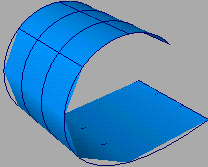
To fix rough rendering that may result, increase the subdivisions in Render > Editors > Render Stats  .
.
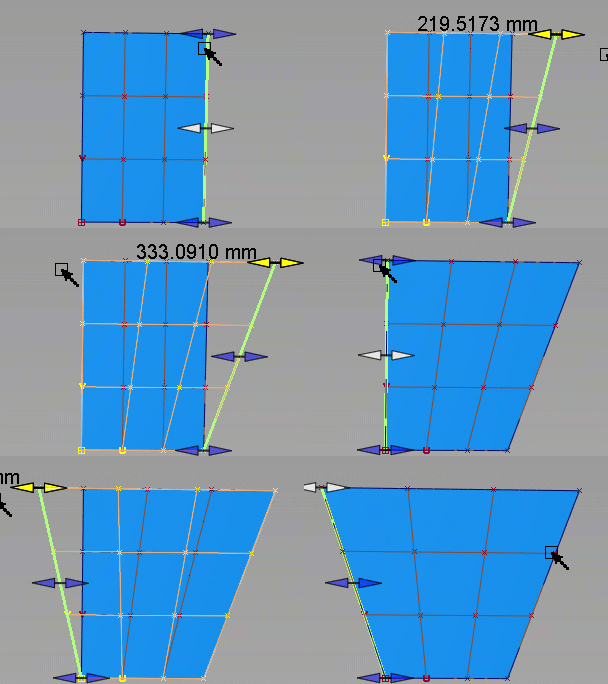
Along Edge – Extends curves or surface edges in a straight line using cubic extension.
This option lets you extend opposite edges of your geometry unequally, such as when you need to extend an edge around the pivot of its opposite edge. You can perform multiple extension operations without generating unwanted curvature along straight edges.
Merge
Merge the extended part with the original surface to form one object. It is turned on by default.
Chain Select
If this option is checked, you can select a series of tangent continuous surface edges by clicking any one of them.
Inter Continuity Check
Available only when Merge is not selected. Select the option to check for continuity when extending multiple edges. Continuity locators indicate whether they are continuous. Yellow locators indicate they are not.
Measurement
Default length of the extension when it is first created.
Distance is expressed in the current linear units, and is originally set to 0.0.
Percentage is expressed as a percentage of the length of the original object.