Customer requested updates to Proximity Wrap deformer, Graph Editor, and Time Editor behavior.
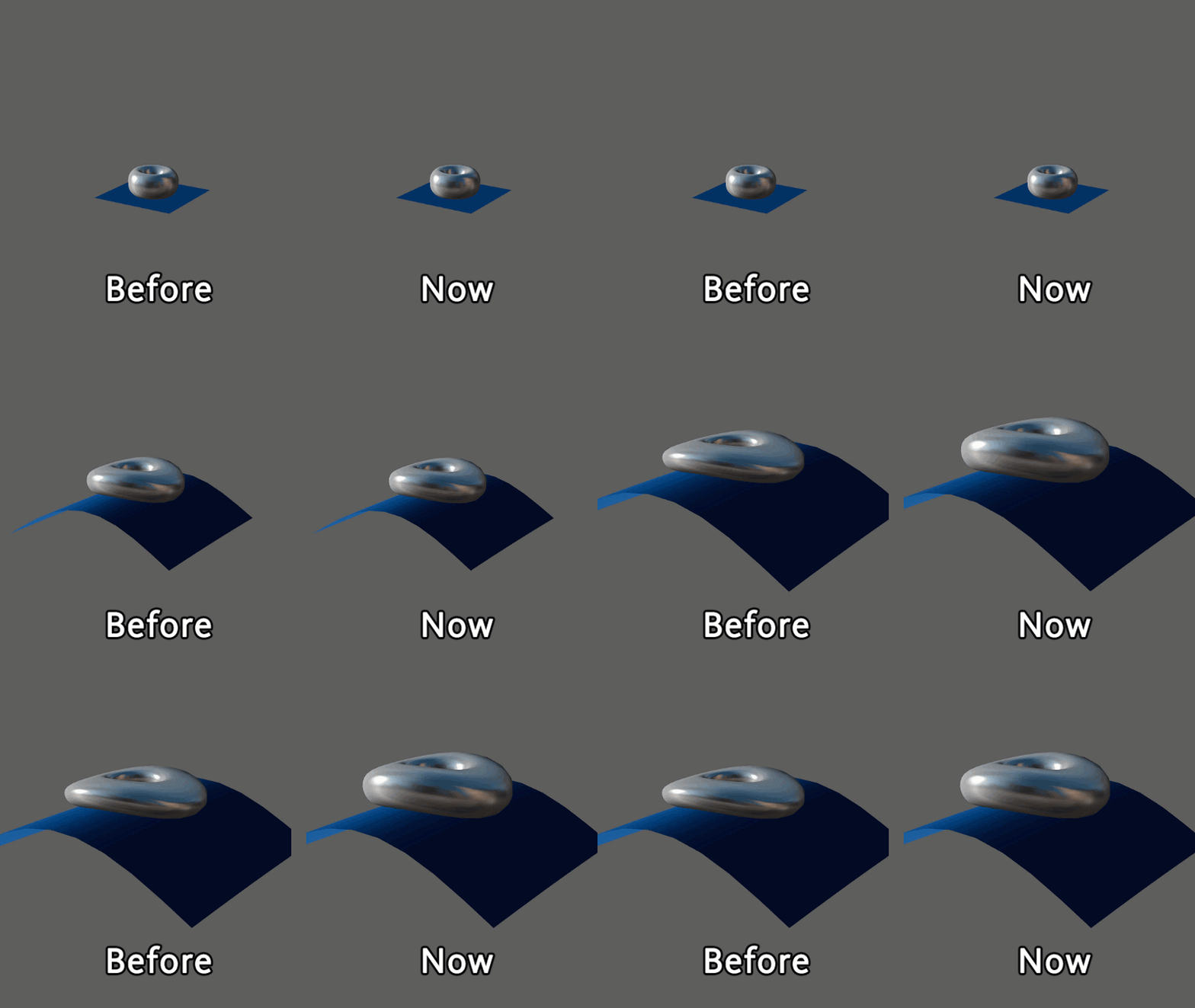
Before and After: a complex deformation with and without the Use Transform As Deformation and Driver Cluster Matrix attributes applied
Global Scaling Setting for Proximity Wrap deformers
There are new ways to control how the Proximity Wrap driver is used to influences the deformation of the inputGeometry of the proximityWrap. The driver verts can be moved by deformation and/or transformation of the driver.
This new functionality deals with the methods by which the location of the verts of the driver are used for deforming the inputGeoemtry.
- The new Use Transform As Deformation option specifies whether the transform of the driver is used as a deformation of the driver verts or whether it is kept separate. With the option turned off, the scaling and rotation of the driver are better preserved when used to deform the input geometry of the proximityWrap.
- If the deformation of the driver has an implicit transformation, you can make this transformation explicit by going to the Node Editor, and connecting a matrix to the Proximity Wrap's Driver Cluster Matrix attribute. This connection uses the transformation information to better preserve the rotation and scaling.
See Global Scaling Setting for Proximity Wrap deformers for a demonstration of these changes.
You can find Use Transform As Deformation option in the Proximity Wrap options and the Proximity Wrap Drivers window.
Restored Graph Editor functionality
A new setting in the Animation (Settings) preferences, Left-dragging moves selected keys, lets you left click to modify key selection.
More importantly, you can disable this option so that left-clicking only selects keys. This is useful when working with densely keyed areas so that keys are not moved if your marquee selection is too close to a key or tangent.
When Left-dragging moves selected keys is on (default), you can drag to move selected keys in the Graph View. When Left-dragging moves selected keys is off, clicking selected keys in the graph view has no effect. (Select the Move tool and middle-drag to adjust keyframes.)
Turning this option on is similar to keyframe editing workflows in other Autodesk applications, such as MotionBuilder.
In the earlier version of the Graph Editor, this option was previously called "Left mouse button alters selection".
New Preference for Time Editor Audio
Previously, problems occurred where playblasted audio from the Time Editor would change pitch or become cut off. Now, you can prevent this from happening by selecting your audio file frequency in the new Input Audio Rate menu in the Time Editor area of the Animation (Settings) Preferences.
See also Add Audio to the Time Editor and Audio pitch changes when Playblasting in the Troubleshoot the Time Editor topic