- In the Project Manager, click Pipe Specs, right-click and select Spec Update Settings.
The Spec Update Settings dialog box is displayed.
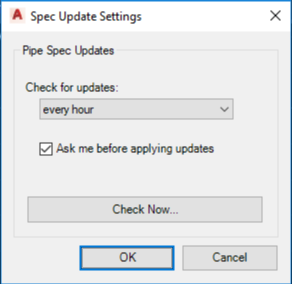
- Check for updates controls how often the check occurs.
- Select whether to update automatically in the Ask me before applying updates check box.
- Immediately check for updates by clicking Check Now.