Use the options on this tab to define the basic information on the geometry of a bay.
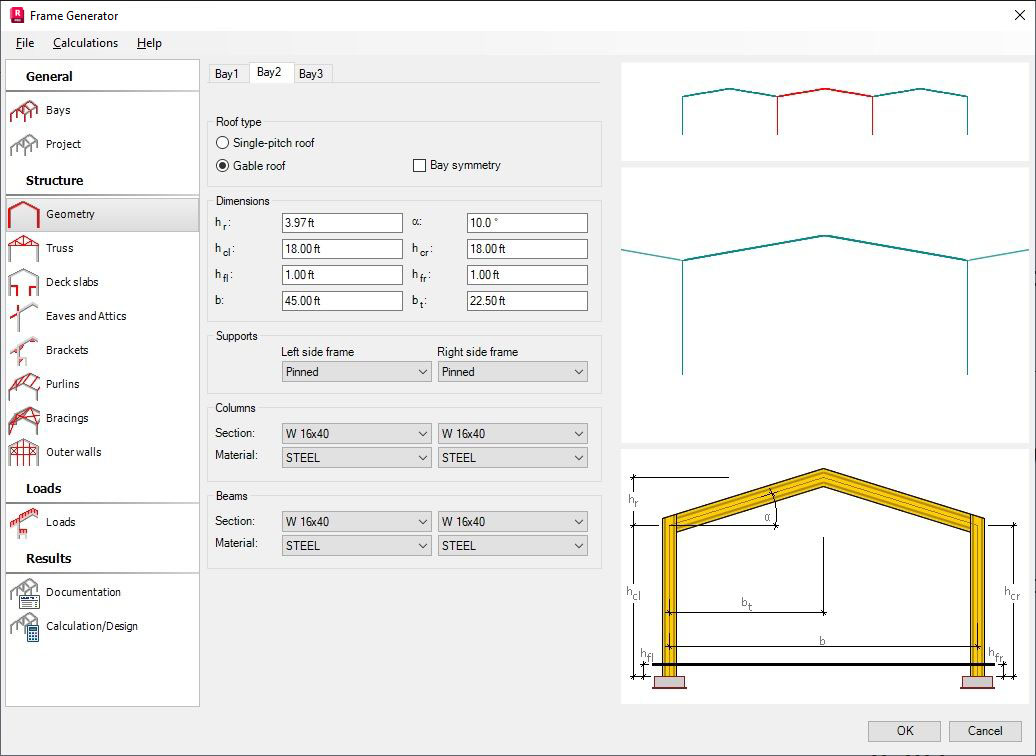
Data to define geometry of a bay:
- roof type:
single-pitch roof frame
gable roof frame
If you activate the Symmetry option, only part of the option is available (on the left-hand side of the symmetry axis); the right-hand side of the structure will be a mirror of the defined geometry of the left-hand side.
- support type on the right and left side of the bay
- dimensions of particular parts of the bay (span, column height, roof height).
Select the More... option in the selection list of profiles or supports to open the additional dialog where you can add another profile from the selected profile database to the list of the available profiles or you can define the structure support by creating a new support.