Follow these tips to optimize the family and member release process.
iPart and iAssembly Release Overview
- Create Family.
- Check family into Vault. Select the option to keep the family checked out.
- Synchronize/Update iPart family file properties.
- Test family.
- Generate members.
- Check in Factory and Members.
- Synchronize member properties in the Vault client.
- Test members.
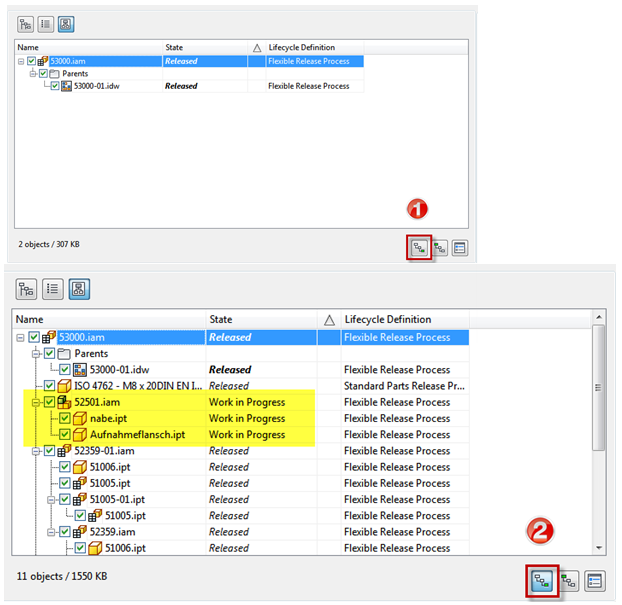
- Release iFactory and Members (see next sections for more details). Note: Select direct parents to include members when releasing the factory.
Release iFactory
- Members derive from iFactory.
- iAssembly Factory may contain normal parts/subassemblies as well.
- Check Member option.
Release Members
- Check member option.
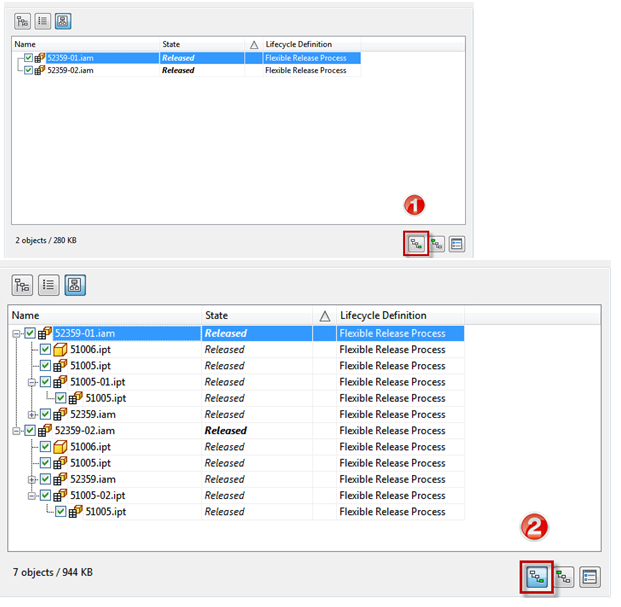
- Check that all members are up to date before releasing.
- Get all latest version of the children.
- Open members separately.
- Place in empty assembly.
- Use quick-change if updates appear after releasing the members.