Job Processor
The Job Processor no longer uses an Inventor license when processing Inventor files.

Job Server Queue Enhancements
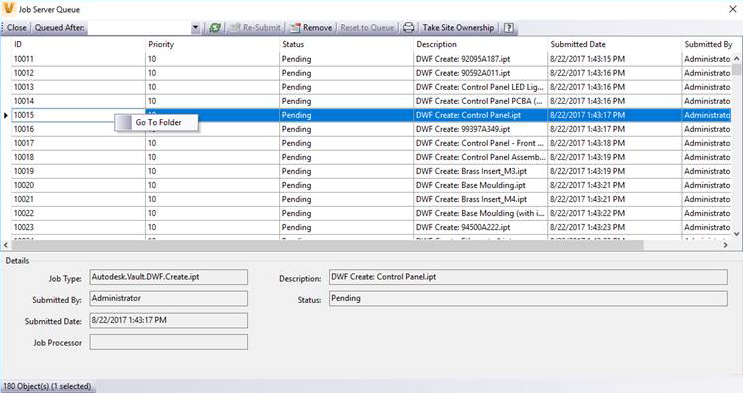
- The Job Server Queue dialog can now remain open while you use other commands.
- Right-click on a job and select Go To Folder to locate the file in the vault client.
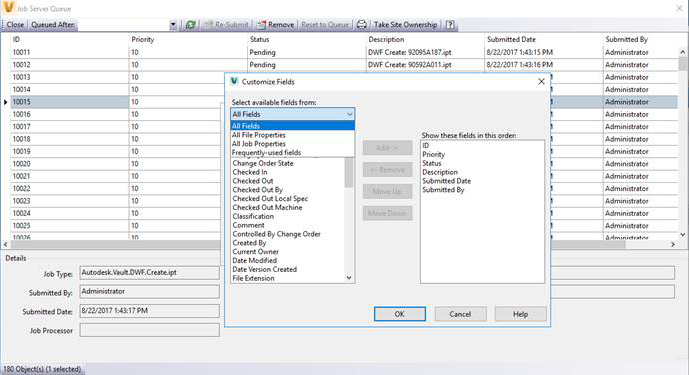
- Additional file properties can be displayed as fields in the job server queue dialog.
Publish PDF
You can affect the PDF output file names by editing the Job Processor configuration file: JobProcessor.exe.config. The following are supported:
- Remove the source file's extension, such as .idw or .dwg, from the PDF name
- Add a prefix
- Add a suffix
- Add a property value
- Add a date property
Learn about PDF naming.
Vault Client
- Sorting a column by name now takes a numerical prefix into account.
- Save to Vault has been added to the default toolbar in Plot Manager.
- You can set the destination folder in Pack and Go to Autodesk Drive or the Fusion 360 cloud drive. To access Autodesk Drive or the Fusion 360 drive, you must install Desktop Connector.
- The email generated from Send Link now includes the Thin Client URL for selected files, items, and ECO objects.
Inventor Add-In
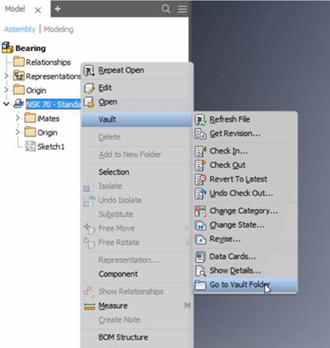
- Right-click on an item in the Inventor model browser and select Go to Vault Folder to locate the file in the vault client.
AutoCAD Add-In
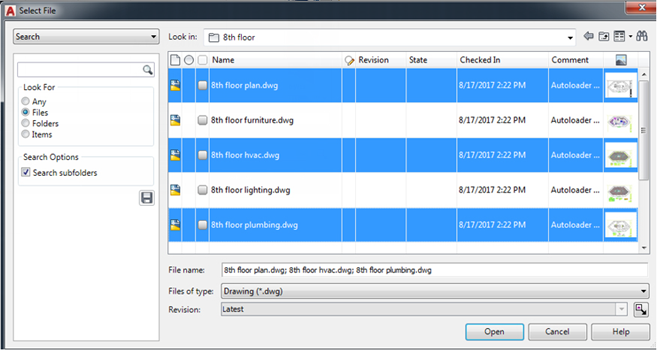
- You can now select multiple .dwg files when using Attach from Vault to attach external references.
- The date property, without the time, can now be mapped to AutoCAD.