Vault 2020.2 update brings many enhancements to the already existing features and workflows based on your suggestions, as well as new improvements, duplicate search as the most important and highly anticipated of them.
Enhancements to CAD and Vault workflows
-
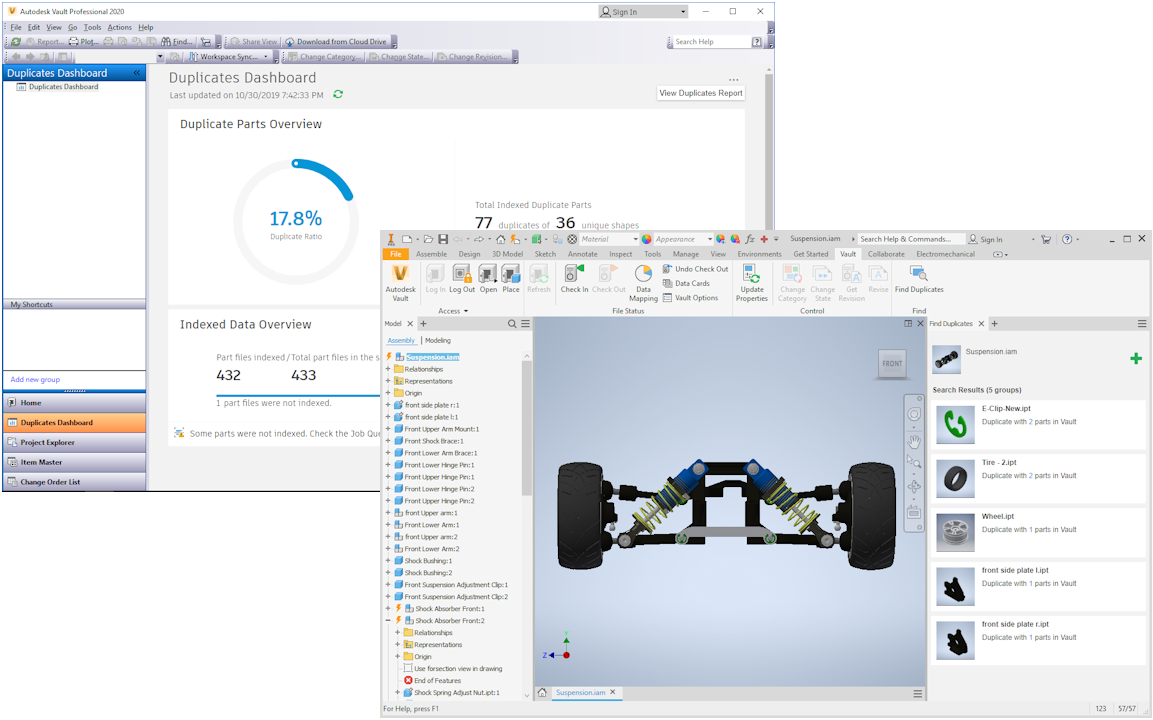
We are bringing a whole new set of features that enable you to avoid using duplicate parts in your designs. Duplicate Search allows you to distinguish data intelligently and quickly. Being able to compare geometries within Vault will significantly accelerate your productivity, and consequently, your time to market. Being able to replace WIP files with fully released components will have a direct impact on your products’ quality and the company’s profitability.
Using this new set of features you can, for example:
In Vault Client:
- Quickly view the information about duplicate parts using the Dashboard with data such as the duplicate ratio.
- Create a report of the duplicate components.
In Autodesk Inventor:
- Replace all occurrences of the selected duplicate part in the whole assembly.
- Place selected part from Search Results panel to the assembly.
- View details of the selected duplicate part, for example where it is used, when it was created.
-
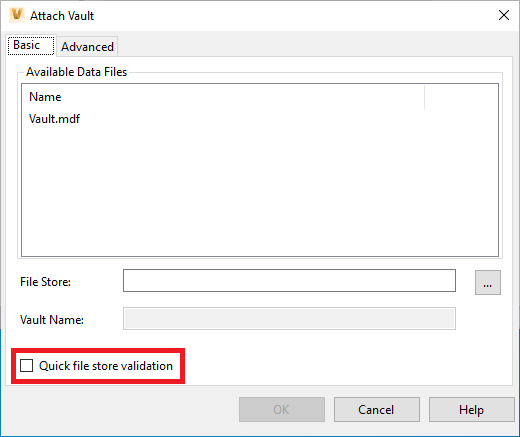
A new option was added to enable quickly validate files when attaching a vault in the ADMS Console. When a vault is attached or a backup is restored, the process performs a file store validation which checks the checksum in Vault to the files in the file store. For large, enterprise level, deployments the validation step can take an extremely long time. This new option enables only check the existence of the file without check the checksum which enables quicker validation and faster process completion.
- Inventor Server now supports iLogic.
General Enhancements
-
Files now have a new ‘Folder path’ property. This property can be used in category rules to do category assignment based on a file location in the Vault.
-
The plus sign was removed for empty folders in the tree structure. It remains only for folders that contain items so now you can see the clean and real structure of the assembly without manually clicking on every folder.
-
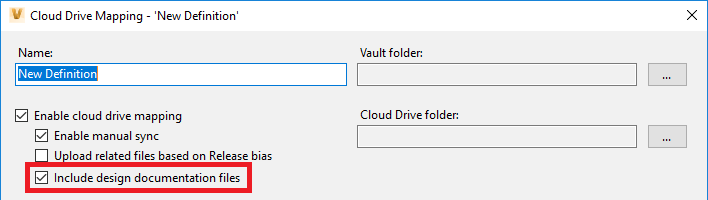
Project Sync has a new option to include design documentation for both manual and scheduled syncs.
-
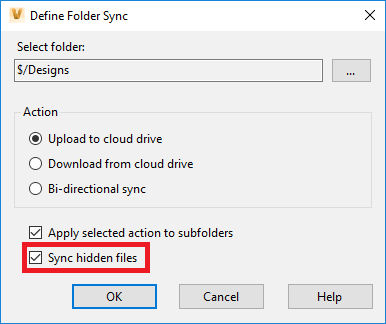
With this new update you can now include hidden files with scheduled syncs in Project Sync. System-generated DWF files are automatically synchronized to the cloud when selecting this option.
- Document management roles now have the ability to perform manual upload and download in Project Sync.
