With Vault 2021.1 release, the Show Details dialog box for the Inventor add-in was vastly improved. Changes that you make in Vault Client are immediately reflected in Inventor which saves a lot of time and streamlines the design process.
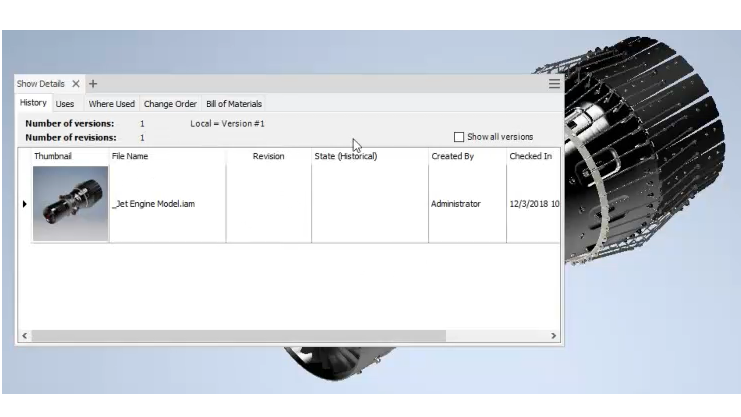
What's changed:
- New tabs are added (Uses, Change Order, and Bill of Materials) to display information about the model.
- You can select the model using the Vault Browser, model browser and the graphics window.
- It is now possible to assign items directly using the command in the Uses tab of the Show Details dialog.
- You can go to the associated item, Change order and a folder location directly in Vault Client.
- You can configure columns in the Show Details dialog based on your preferences.
- Show Details dialog box is also floating and dockable.