- 啟動 Autodesk Inventor Nastran。
- 從「開啟」導覽至 C:\Users\Public\Public Documents\Autodesk\Inventor Nastran 2024\Tutorial\en-us\Inventor 2024 資料夾,然後開啟 propeller.ipt。
- 按一下「檔案」、「另存」,並將零件儲存為 Normal Modes Propeller.ipt。這可讓您重複使用原始零件。
- 按一下。
移至。將單位設定為「英吋」和「磅」。它們會變為預設單位。

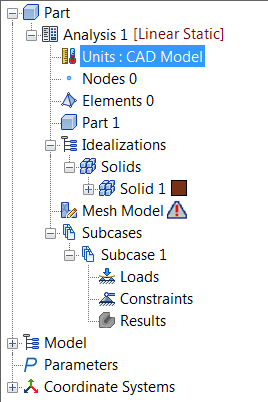
- 或者,在「零件」樹中按兩下「單位」,選取單位設定為英吋和磅的「單位系統」。
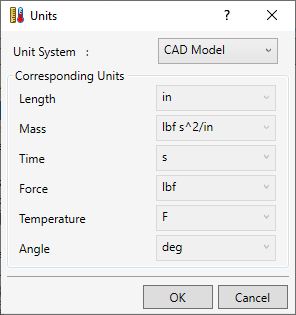
- 按一下「確定」。