Maya Integration
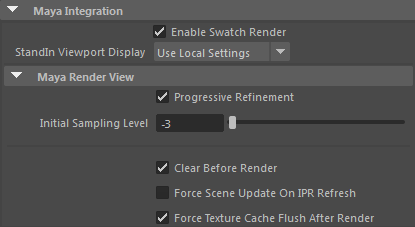
The Maya Integration section allows control over various Arnold system settings.
Enable Swatch Render
A switch for enabling or disabling swatch rendering in the Hypershade window and Attribute editor.
StandIn Viewport Display
A global option to override the display of stand-ins in the Maya viewport. Use Local Settings - is the default behavior. Bounding Box - Forces the display of all the stand-ins to bounding boxes.Disable Draw - Disables the display of all stand-ins. Disable Load - Disables loading of the stand-in.
Maya Render View
Progressive Refinement
The image is rendered several times with increasing AA samples until the full quality set by the Camera ( AA) samples in the render settings is reached. Disabling this option reverts to the usual rendering option.
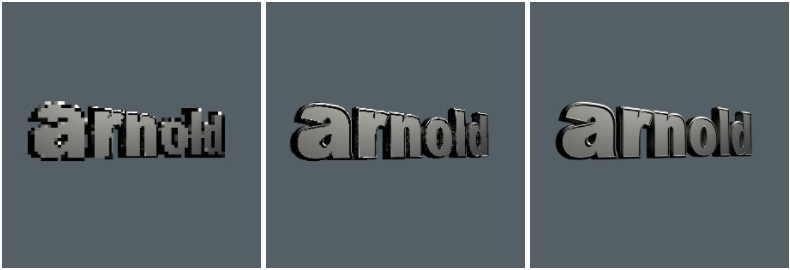
Initial Sampling Level
The initial AA samples used for the first progressive render. Negative values sub-sample the render, allowing faster feedback in the render window.

Initial Sampling Level from -6 to 0
Clear Before Render
Clears the render view before re-rendering the scene. Also, displays a border around the bucket being rendered.
Force Scene Update on IPR Refresh
Specify whether Arnold needs to update its scene data to match the Maya scene every time IPR refreshes. If changes aren't being reflected in IPR, turn this on.
Force Texture Cache Flush after Render
Clears the texture cache, forcing textures to be reloaded.