Custom Motion Vector AOV with Motion Vector shader
Another way to create a motion vector pass is to use a custom AOV and assign an Ai Motion Vector shader to the default 'Shader' attribute.
Info: More information about motion vectors is available here.
The scene file can be downloaded here.
- First, select the AOVs tab in the Render Settings Window. Click on Add Custom to add a New AOV. In this case, we have named it 'mblur'.
Do not name the Custom AOV 'motionvector' as it may cause conflicts with the built-in 'motionvector' AOV.
- Create an Ai Motion Vector shader. Enable Encode Raw Vector so that the vector will not be normalized. We will need absolute vectors for when we bring the motion vector render into a post-processing package.
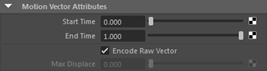
Ai Motion Vector shader. Encode_raw_vector enabled.
- Middle drag Ai Motion Vector onto Shader (under Custom AOV) of the 'mblur' AOV.
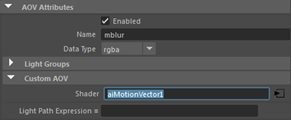
aiAOV_mblur
Enable instantaneous_shutter in the Motion Blur settings. This is because we don't want motion blur in the render, but we still want the motion velocity information in our motion_vector AOV.
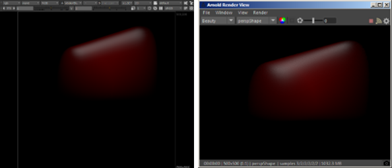
Render the scene. The custom AOV mblur should render in the RenderView window.
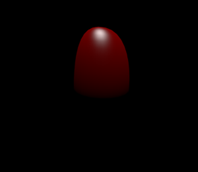 |
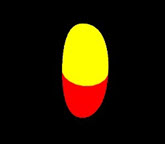 |
| Beauty AOV | Custom Motion Vector AOV |
Compositing the Motion Vector
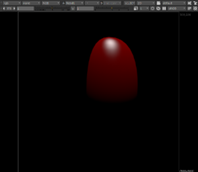
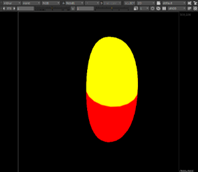
- Open the rendered EXR file in a compositing package such as Nuke. You should be able to see both the RGB and motion vector.
 |
 |
- Apply a VectorBlur to the EXR render.
- Select the Vector Blur node. Change the 'uv channels' to 'motionvector,' and the 'mv presets' to 'Arnold'. Enable uv_alpha and choose 'rgba.alpha' to prevent the blur from being clipped by the alpha of the Motion Vector AOV.
 |
| Vector Blur node settings in Nuke |
The final output should look like the image below left. It looks pretty close when compared to the same scene rendered with true motion blur. There are, however, subtle differences. This is due to the limitations of rendering out 2d motion vectors.