 Intersect
Creates curves-on-surface at the intersections between existing surfaces and subdivision objects.
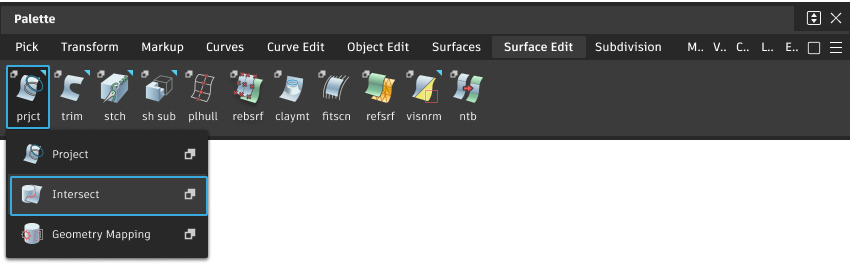
Access this tool from the Surface Edit tool palette:
Intersect Options
Create Curves on Surface
On First Surface – Create curves-on-surface on the target surfaces, but not on the intersecting surface(s) you selected.
On Both Surfaces – Create curves-on-surface on the target and the intersecting surfaces.
Subdiv Select
Turn this on when creating curves-on-surface at the intersections of subdivision objects. When on, the Intersect tool behaves the same way with subdivision objects as it does with NURBS surfaces.
Create History
Save the history of the projection for later editing. If you turn Create History on, you can modify the surfaces that were used to create the projected curves, and the projected curves will update.
Intersect tool workflows
How to create curves-on-surface where two surfaces intersect each other. This prepares the surfaces to be trimmed back to their intersection.
Set up the Intersect tool
- Shift-select the Intersect tool .
- When you intersect two surfaces, you can choose on which surfaces the curves-on-surface are created:
- To create curves-on-surface on both sets of surfaces when you intersect them, set Create Curves on Surface to Both.
- To only create curves-on-surface on the first set of surfaces, set Create Curves on Surface to On First Surface.
Create curves-on-surface at the intersections between surfaces
Click, or box-select, the surfaces on which you want to create curves-on-surface. Clicking a selected surface deselects it.
Select the Intersect tool
.Do any of the following:
- Click, or box-select, one or more surfaces that intersect the picked surfaces. Surfaces from the first set are automatically excluded from the second set.
- Click, or box-select, one or more reference planes.
As you click, the tool creates curves-on-surface at the intersections.