 Reverse Visual Surface Orientation
Reverses the orientation of a surface without affecting the U or V parametric directions. Construction history is also preserved. This tool lets you manually reverse the orientation of a single surface at a time, without any shading of your model. It is useful for fine alterations.
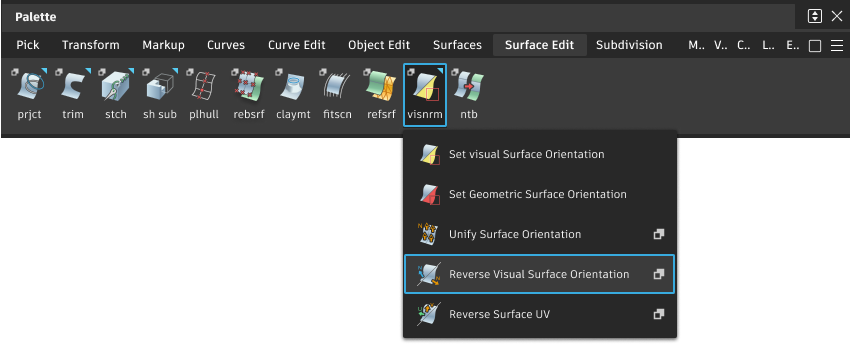
Access this tool from the Surface Edit tool palette:
Reverse Surface Orientation Options
Display normal(s)
All intersecting – Display the orientation of all surfaces under the cursor.
Closest to eye – Display the orientation of the nearest surface under the cursor.
Reverse Visual Surface Orientation workflow
This may be necessary before using tools that depend on surface orientation such as Ambient Occlusion, Offset and Parting Line. Reversing the visual orientation of a surface does not affect the U or V parametric directions, and preserves construction history.
Reversing the orientation of a single surface at a time, without any shading of your model, is useful for fine alterations.
Select the tool.
Click a surface for which you want to reverse the orientation.
An arrow appears to show which way the surface is facing.
- A light blue arrow means that the surface is facing you.
- A yellow arrow means that the surface is facing away from you.
Do any of the following:
- Click Reverse Active to reverse the orientation of the last surface you clicked.
- Click Reverse All to reverse the orientation of all selected surfaces.
The direction of the U and V parameters is not affected. Construction history is preserved.